Unpixel answers a second kind of link, unpixel://x-callback-url/…, made for the Shortcuts app. Unlike a plain unpixel://capture, it waits for the capture to finish and hands the text back, so the next action in your shortcut can save it, clean it up or send it on.
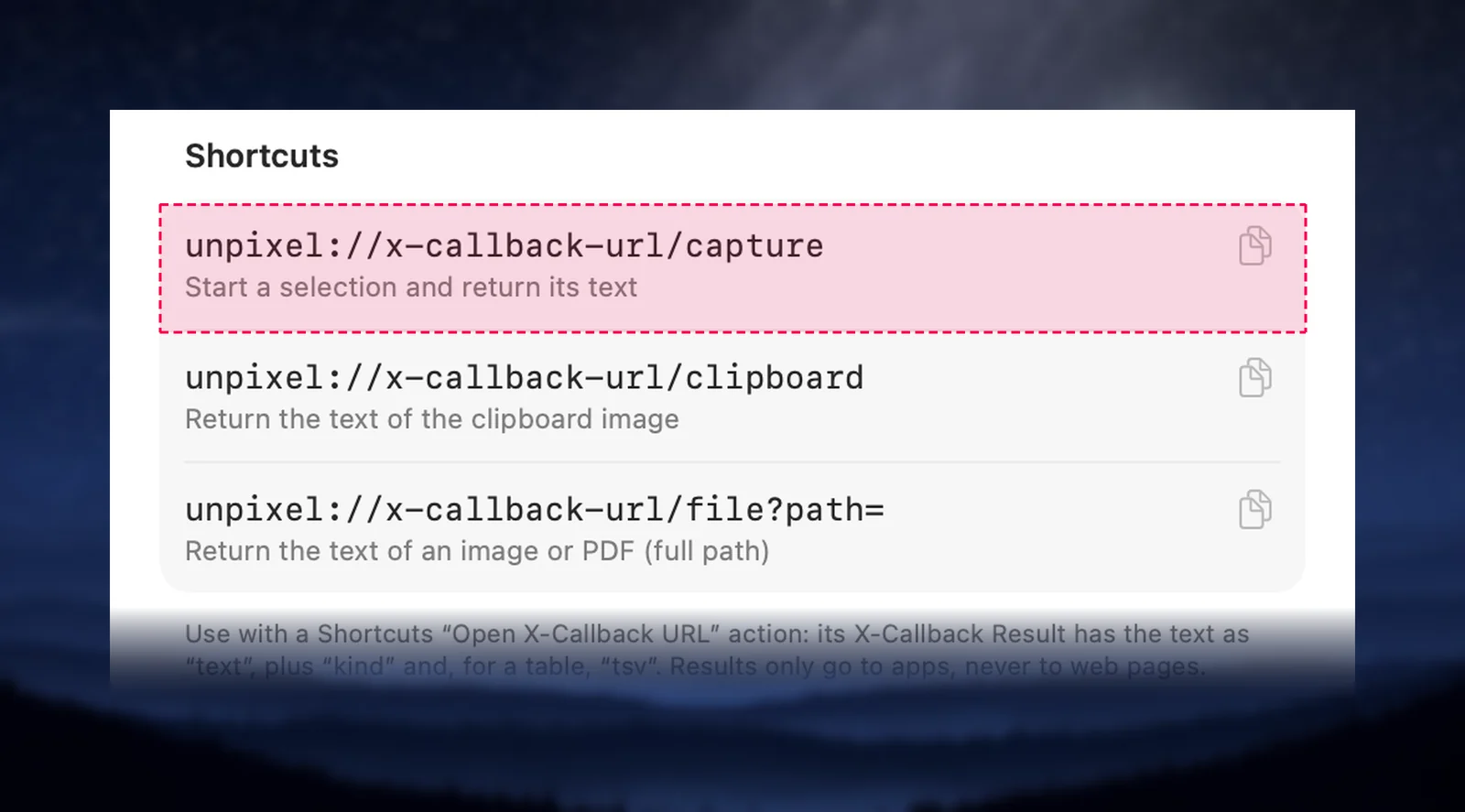
In the Shortcuts app, add Open X-Callback URL with unpixel://x-callback-url/capture. Running it brings up Unpixel’s crosshair and waits. When you let go, the result comes back as X-Callback Result: read its text with Get Dictionary Value and pass it to the next action. Use …/clipboard for a copied image or …/file?path= for an image or PDF.
The commands
| Link | What it reads |
|---|---|
unpixel://x-callback-url/capture |
A selection on screen, like ⇧⌘2 |
…/capture?translate=1 |
The same, returning a translation into your language |
…/capture?append=1 |
The same, adding the text to the clipboard like holding ⇧ |
unpixel://x-callback-url/clipboard |
The image on the clipboard, like From Clipboard |
unpixel://x-callback-url/file?path=/Users/you/Scan.pdf |
An image or PDF; repeat path= for several files |
translate and append take 1, true or yes, and can be combined. A path must be absolute or start with ~/, and spaces in it have to be written as %20; Shortcuts’ URL Encode action does that for you.
Build a shortcut that gets the text
- In Shortcuts, create a new shortcut and add Open X-Callback URL.
- Set its URL to
unpixel://x-callback-url/capture. - Add Get Dictionary Value, set it to get the Value for the key
text, and pick X-Callback Result as the dictionary. - Add whatever should happen to the text, such as Append to Note, Show Result or Translate Text.
- Run it. The crosshair appears; drag over the text and let go. The shortcut carries on with what you captured.
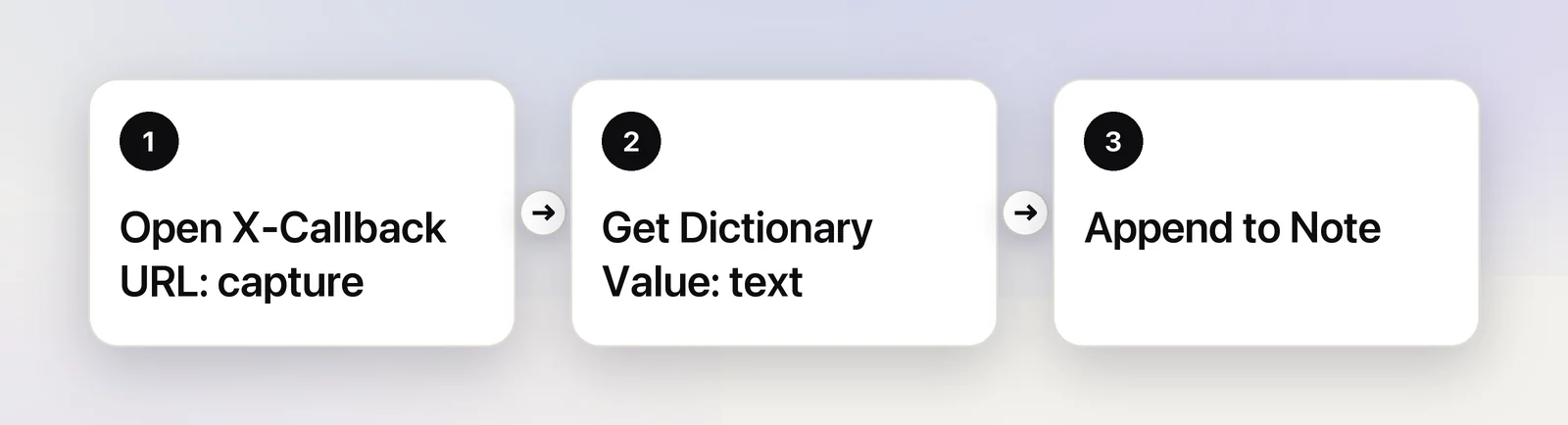
Open X-Callback URL adds the callback links itself and waits for Unpixel, so you don’t have to. Give the shortcut a keyboard shortcut in its details, or run it from the menu bar, Spotlight or a launcher.
What comes back
| Key | Contains |
|---|---|
text |
What was copied: the translation if you asked for one; with append=1, only the new passage |
kind |
text, link, code (a QR code or barcode) or table |
tsv |
For a table, its cells, tab-separated |
source |
The app the text came from, when there is one |
translatedFrom, translatedTo |
The two languages, for a translation |
truncated |
1 when text or tsv was cut at 64 KB; the clipboard still has everything |
When it doesn’t work
Cancelling the selection with Esc opens the cancel callback. Anything else that stops a capture returns an errorCode and an errorMessage, worded like Unpixel’s confirmation:
| errorCode | Meaning |
|---|---|
not-activated |
Unpixel isn’t activated on this Mac |
screen-recording |
Screen Recording permission is missing |
busy |
A selection is already on screen |
no-text, no-image |
Nothing readable, or no image on the clipboard |
file-not-found, unsupported-file, unreadable-file |
The path is wrong, isn’t an image or PDF, or can’t be opened |
bad-request, failed |
The link itself is wrong, or something else went wrong |
Rules worth knowing
- It’s a normal capture. The clipboard, history, confirmation, sound and every setting apply, and it needs an activated license.
- Results only go to apps. Callbacks must be app links such as
shortcuts://,raycast://oralfred://. Unpixel never sends text to a web page, a browser, a file or mail link, and doesn’t run a request that asks it to. - Without callbacks the links still work, from Terminal or a launcher: the text lands on the clipboard as usual. For example,
open "unpixel://x-callback-url/file?path=$HOME/Desktop/receipt.png". - No command for Capture Again. Re-reading the last area is kept to your own keys and menus.
For the other links, see the URL scheme reference. To read files straight from Finder without building anything, use Copy Text with Unpixel in the Services menu.
Frequently asked questions
Does the text still go to my clipboard?
Yes. Each request is a normal capture: the text is copied, saved to history if history is on, and confirmed as usual. The shortcut gets a copy as well.
Can a web page use these links to read my screen or files?
No. Unpixel only sends results to apps, such as shortcuts:// or raycast:// links, and refuses any request whose callback would open a web page or a browser.
Is there a Shortcuts action called Unpixel in the action list?
No. Unpixel works with Shortcuts through links: Open X-Callback URL when you want the text back, Open URLs when you only want to start something.
Sources
- Use another app’s URL scheme in Shortcuts on Mac — Shortcuts User Guide (Apple Support) support.apple.com
- Intro to URL schemes in Shortcuts on Mac — Shortcuts User Guide (Apple Support) support.apple.com
- x-callback-url specification x-callback-url.com