Unpixel registers the unpixel:// URL scheme, so a launcher, a script or a shortcut can start a capture or open part of the app without touching the menu bar. This page lists every command and how to call it. The everyday commands are also listed in Settings → About under Automation, each with a copy button, and the ones that return text are under Shortcuts.
Unpixel answers links that start with unpixel://. unpixel://capture starts a selection (add ?translate=1 to copy a translation or ?append=1 to add to the clipboard), clipboard reads a copied image, open picks a file, history opens the panel and settings opens Settings. Links under unpixel://x-callback-url/ also hand the text back to Shortcuts.
Commands
| Link | What it does |
|---|---|
unpixel://capture |
Starts a selection, like pressing your capture shortcut |
unpixel://capture?translate=1 |
Starts a selection and copies the translation, like holding ⌥ as you let go |
unpixel://capture?append=1 |
Starts a selection and adds its text to the clipboard, like holding ⇧ as you let go |
unpixel://clipboard |
Reads the image on the clipboard, like From Clipboard |
unpixel://open |
Shows the file picker for images and PDFs, like Open Image… |
unpixel://history |
Opens the menu bar panel |
unpixel://settings |
Opens Settings |
unpixel://settings/history |
Opens one tab of Settings. Swap history for general, recognition, translation, license or about |
unpixel://onboarding |
Shows the welcome guide |
unpixel://activate?key=… |
Fills a license key into the activation screen; you still click Activate |
A few details:
- Command names aren’t case-sensitive.
translateandappendalso accepttrueoryes, and work together:capture?append=1&translate=1adds a translation. - A link Unpixel doesn’t recognize plays the alert sound and does nothing else.
- The commands that read text (
capture,clipboard,open) need an activated license, just like the shortcut. Without one, Unpixel opens the activation screen and a short message says why. - The
activatelink is what the Activate in Unpixel button on the purchase confirmation page opens. If this Mac already uses a different key, Unpixel asks before replacing it. See Activate your license.
Links that return the text
Three more links follow the x-callback-url convention, so an app that calls them gets the result back instead of having to watch the clipboard:
| Link | What it returns |
|---|---|
unpixel://x-callback-url/capture |
The text of a selection; ?translate=1 and ?append=1 work as above |
unpixel://x-callback-url/clipboard |
The text of the image on the clipboard |
unpixel://x-callback-url/file?path=… |
The text of an image or PDF, given by its full path |
The Shortcuts app’s Open X-Callback URL action adds the callback links itself and waits for the result. Unpixel only ever sends results to apps, never to web pages. Get captured text in Shortcuts explains what comes back and every error code. Without callbacks, these links behave like the others: the text lands on the clipboard.
From Terminal
The open command hands a link to whichever app owns its scheme:
open unpixel://capture
open "unpixel://capture?translate=1"
open unpixel://settings/license
Put quotes around any link with a ? in it. Without them, zsh, the Mac’s default shell, treats ? as a file-name wildcard and stops with “no matches found”.
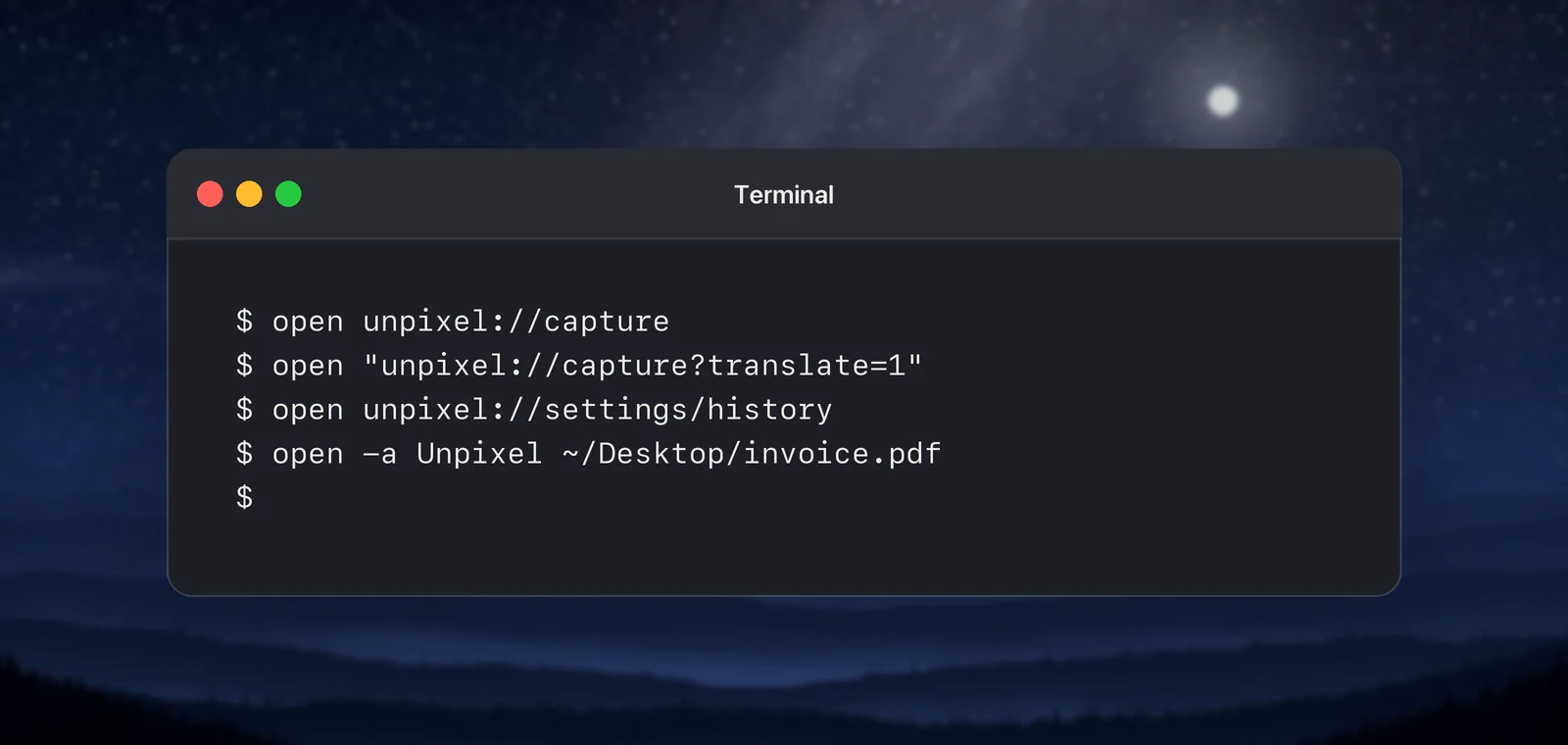
To read a particular file without the file picker, open it with Unpixel directly: open -a Unpixel ~/Desktop/invoice.pdf. It works like dropping the file on the menu bar icon: the text lands on the clipboard once reading finishes, with the usual confirmation if you have it turned on. The open command itself returns straight away, before reading is done, so a script that needs the text has to wait for the clipboard to change.
From launchers and Shortcuts
A launcher can give any of these links its own hotkey. For example, you can keep ⇧⌘2 for plain captures and add a second combination that always translates.
- Raycast: run Create Quicklink, paste the link into Link, give it a name and choose Save Quicklink. The Raycast manual explains how to give a quicklink an alias or a hotkey in Raycast’s settings.
- Alfred: Workflows are part of Alfred’s Powerpack. Create a workflow with a Hotkey trigger and connect it to an Open URL action that contains the link.
- Shortcuts: add a URL action with the link, then an Open URLs action. To run it from the keyboard, open the shortcut’s details and click Add Keyboard Shortcut. When the shortcut needs the text afterwards, use Open X-Callback URL with an
x-callback-urllink instead.
Unpixel waits a fraction of a second before showing the crosshair, so the launcher has time to close first. For ready-made setups, see Automation with Raycast, Alfred and Shortcuts.
When Unpixel isn’t running
Opening any unpixel:// link starts Unpixel. The command waits until Unpixel has finished starting up, then runs, so open unpixel://capture works from a cold start too. If a second copy of the app gets launched, it passes the link to the copy that’s already running and quits.
What the scheme can’t do
- Capture on its own. No link reads the screen without you.
captureshows the crosshair and waits for you to drag; nothing is read without your own selection. - Read your last area again. Capture Again (⇧⌘1) has no link on purpose: any app can open a link and then read the clipboard. Use the shortcut or the menu item. See Read the same area again.
- Send text to a web page. Plain links leave the result on the clipboard and in history. The x-callback-url links return it only to apps, and Unpixel refuses a request whose callback would open a web page or a browser.
- Change settings. Links open things; they don’t set options.
- Activate a license.
activateonly fills in the key, because any web page can open a link. You confirm with Activate.
For how URL schemes work on a Mac in general, including finding other apps’ schemes, read URL schemes on Mac.
Frequently asked questions
Can a link start a capture without me dragging?
No. unpixel://capture only brings up the crosshair, exactly like the shortcut. Nothing is read until you drag over an area and let go.
Can I get the recognized text back in my script?
In the Shortcuts app, yes: Open X-Callback URL with an unpixel://x-callback-url link waits and returns the text. From Terminal, open returns at once, so read the clipboard with pbpaste after the confirmation appears.
Where can I copy the links from?
Settings → About lists the everyday commands under Automation and the x-callback-url ones under Shortcuts, each with a copy button. The tab links and the activate link are only on this page.
Sources
- Quicklinks — Raycast Manual manual.raycast.com
- Workflows — Alfred Help alfredapp.com
- Open URL action — Alfred Help alfredapp.com
- Use another app’s URL scheme — Shortcuts User Guide (Apple Support) support.apple.com
- Run shortcuts with a keyboard shortcut — Shortcuts User Guide (Apple Support) support.apple.com