Live Text and Google Lens both read the words in a picture, but on a Mac they live in different places and send your data to different places. Live Text is part of macOS and works inside Apple’s apps. Google Lens lives in Chrome and on google.com, and it does far more than read text. Which one is “better” depends on whether you want the words, or answers about them.
Use Live Text to copy text from photos, screenshots and paused video: it’s built into macOS and reads the text on your Mac. Use Google Lens in Chrome to search, shop, identify things or translate a less common language, knowing your selection is sent to Google. Neither one reads text inside other apps’ windows, such as a video call.
Where you can use each on a Mac
| Live Text | Google Lens | |
|---|---|---|
| Comes with | macOS | Chrome, google.com |
| Works on | Images in Preview, Photos, Quick Look and Safari; paused video in QuickTime Player | Any part of a page in a Chrome tab; images you upload to google.com |
| How you start it | Drag across text in the image | Right-click, or the Chrome menu |
| Text is read | On your Mac | On Google’s servers |
Details for Google Lens are from Google’s help pages, as of October 2026.
Live Text is switched on in System Settings → General → Language & Region, under Live Text. After that, any image in a supporting app has selectable text. Hover over the words; if the pointer becomes a text cursor, you can drag.
Google Lens has a few entry points in Chrome. Right-click an image and choose Search with Google Lens, or open the Chrome menu and choose Search this tab with Google Lens to drag over any part of the page. Google’s help page says Google must be your default search engine for this. Outside Chrome, the camera icon in the google.com search box opens Lens for an image you upload.
Neither tool reaches text in another app’s window. A slide in a video call, a dialog or a game has to become an image first.
Copying text
With Live Text, copying works like copying in a document:
- Open the image in Preview or Photos, or press Space on it in Finder.
- Drag across the words you want.
- Press ⌘C, or Control-click and choose Copy Text.
With Google Lens in Chrome, you drag over an area and the results open in a side panel. Google lists copying text among Lens features. The panel’s layout changes from time to time, so look for the option to select or copy the text Lens found. For words on a web page that are already selectable, Lens adds nothing: select them and press ⌘C.
In practice, Live Text is quicker for a photo or screenshot already on your Mac. Lens is handier when the image is on a web page and you’re in Chrome anyway.
Translating
Live Text passes text to Apple’s translator. Select the words, Control-click, and choose Translate. Apple’s guide says you can choose On-Device Mode under Translation Languages to keep translations on your Mac even when you’re online, and warns that offline results may be less accurate than server-processed ones.
Google Lens translates text in images in over 100 languages, according to Google. On a Mac, the simplest route for a saved picture is Google Translate’s Images tab: upload the file, and a Copy text button copies the translation.
If your language pair is uncommon, Google is more likely to have it. If the text is private, Apple’s on-device option is the safer choice. Our comparison of Apple and Google Translate goes deeper on quality and languages.
Privacy: what leaves your Mac
This is where the two differ most.
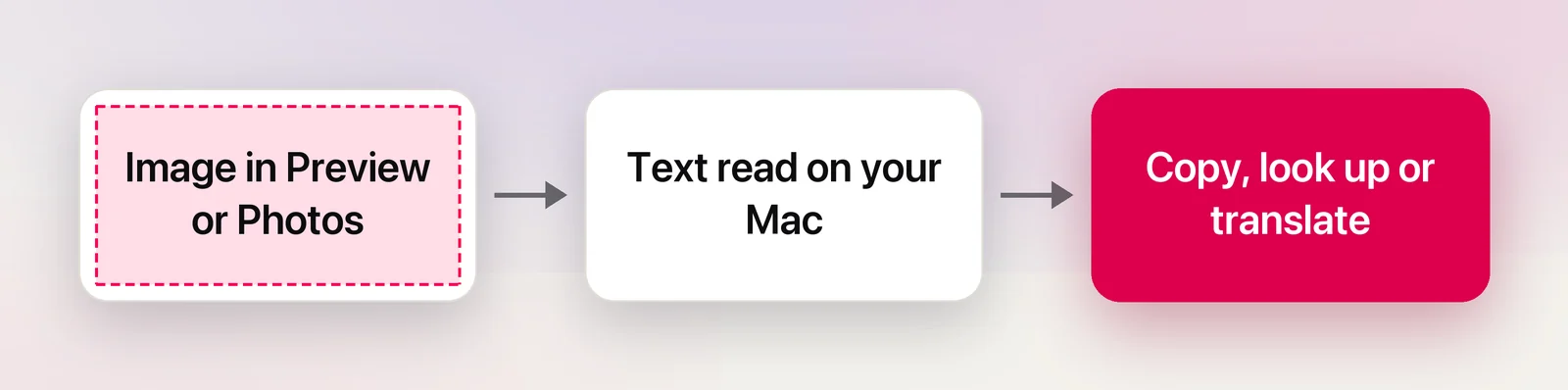
Live Text recognizes text with on-device machine learning, as Apple announced when it launched. Copying never involves a server. Actions you choose afterwards, such as a web search for a word or a translation without On-Device Mode, can go online.
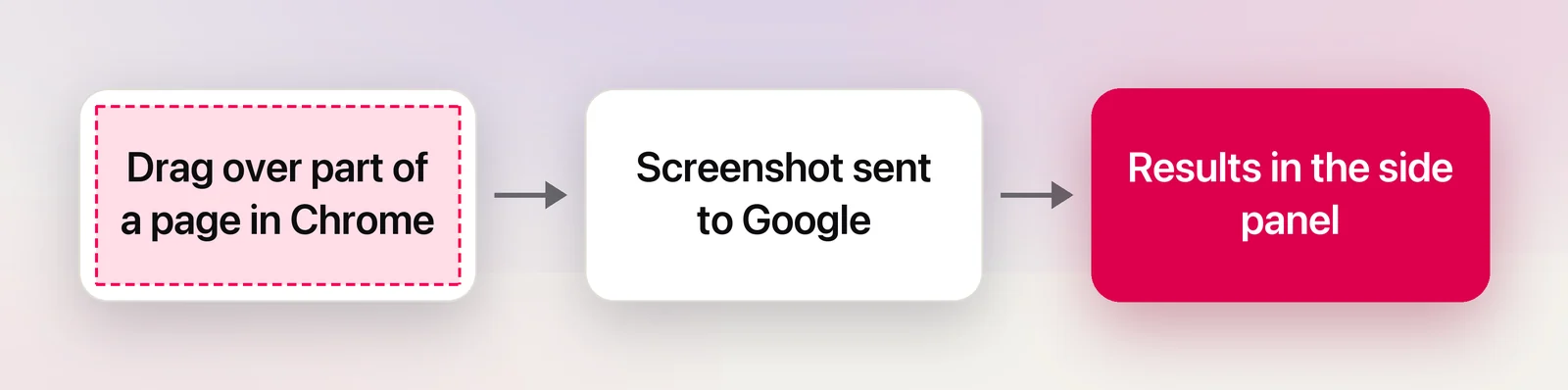
Google Lens works on Google’s servers. Chrome’s help page says that when you use Lens on a web page, a screenshot of the page and page data are sent to Google. Google says it stores that data only temporarily to answer the query and doesn’t use the page or image for training. The selection is sent to Google Search, and you can review or delete it in My Google Activity.
For a menu or a street sign, that trade-off hardly matters. For a bank statement or an internal dashboard, it does. Our article on whether Google Translate is private covers the same question for typed text.
Beyond text
The tools aim at different jobs once you look past the words.
Live Text acts on details in the text. Phone numbers, email addresses and links get a small arrow with actions such as call, email or open. Its sibling, Visual Look Up, identifies things like plants, pets, landmarks and art in apps such as Photos.
Google Lens is a search tool first. Google lists shopping for similar items, identifying plants and animals, homework help and asking questions about what you see. In Chrome, the side panel has a box for follow-up questions, which Google’s help says leads you to AI Mode.
Which to use
- Copy text from a photo, screenshot or paused video: Live Text.
- Anything confidential: Live Text, with translation in On-Device Mode.
- Find a product, identify a plant or search for a picture’s source: Google Lens.
- Translate a language Apple doesn’t offer: Google Lens or Google Translate’s Images tab.
- Text in an app, a call or a game: neither, without a screenshot first.
Text outside images and browsers
That last case is where Unpixel, the app we make, fits. Press ⇧⌘2, drag over anything on screen, including a video call or a dialog, and the text is on your clipboard. Recognition uses Apple’s Vision framework on your Mac, like Live Text. Holding ⌥ as you let go copies a translation instead, made by Apple’s on-device Translation framework. It won’t identify a plant or find a product; for that, Lens is the right tool.
Frequently asked questions
Is there a Google Lens app for Mac?
Not as a separate Mac app, as of October 2026. On a Mac you use Lens inside Chrome, or on google.com by clicking the camera icon in the search box and uploading an image.
Does Live Text work offline?
Yes, the recognition does. Apple says Live Text uses on-device machine learning. Translating the selection may use Apple’s servers unless you turn on On-Device Mode for translation.
Can Google Lens read text in a YouTube video in Chrome?
It can search what’s visible in the tab, including a paused frame, because it works from a screenshot of the page. Protected streaming video often captures as black, though, and then there’s nothing to read.
Which is more accurate?
Both handle clear printed text well. Results differ on handwriting, small type and unusual languages, so try the same image in both if accuracy matters.
Sources
- Interact with text in a photo in Preview on Mac — Apple Support support.apple.com
- Translate text on Mac (macOS Tahoe 26) — Apple Support support.apple.com
- macOS Feature Availability (Live Text, Visual Look Up) — Apple apple.com
- macOS Monterey is now available (Live Text uses on-device machine learning) — Apple Newsroom apple.com
- Search with Google Lens in Chrome — Google Chrome Help (read October 2026) support.google.com
- Google Lens — Google Search (features, read October 2026) search.google
- Translate images (computer) — Google Translate Help support.google.com