Text on screen wraps to fit its column, so a single sentence often spans three or four lines. Keep line breaks decides what Unpixel does with those breaks when it copies: keep every line as you see it, or join the lines of each paragraph so the text flows again wherever you paste it.
Open Settings → Recognition and find Keep line breaks under Formatting. On (the default), text is copied line by line, exactly as it wraps on screen. Off, the lines of each paragraph are joined into one line, paragraphs stay separate, list items keep their own lines, and a word split by a hyphen at a line end is rejoined when the result is a real word.
Change the setting
- Right-click the Unpixel icon in the menu bar and choose Settings…. In the menu bar panel, the … button at the top has the same command.
- Click Recognition.
- Under Formatting, turn Keep line breaks on or off.
From a launcher or Terminal, unpixel://settings/recognition opens the same tab directly.
The setting applies from your next capture, whether it comes from the screen, From Clipboard or a file. There’s no switch for a single capture, so if you only need the other behaviour once, flip the setting, capture, and flip it back. Under the switch, a small On screen and Copied example shows two lines of an address and how they would be copied.
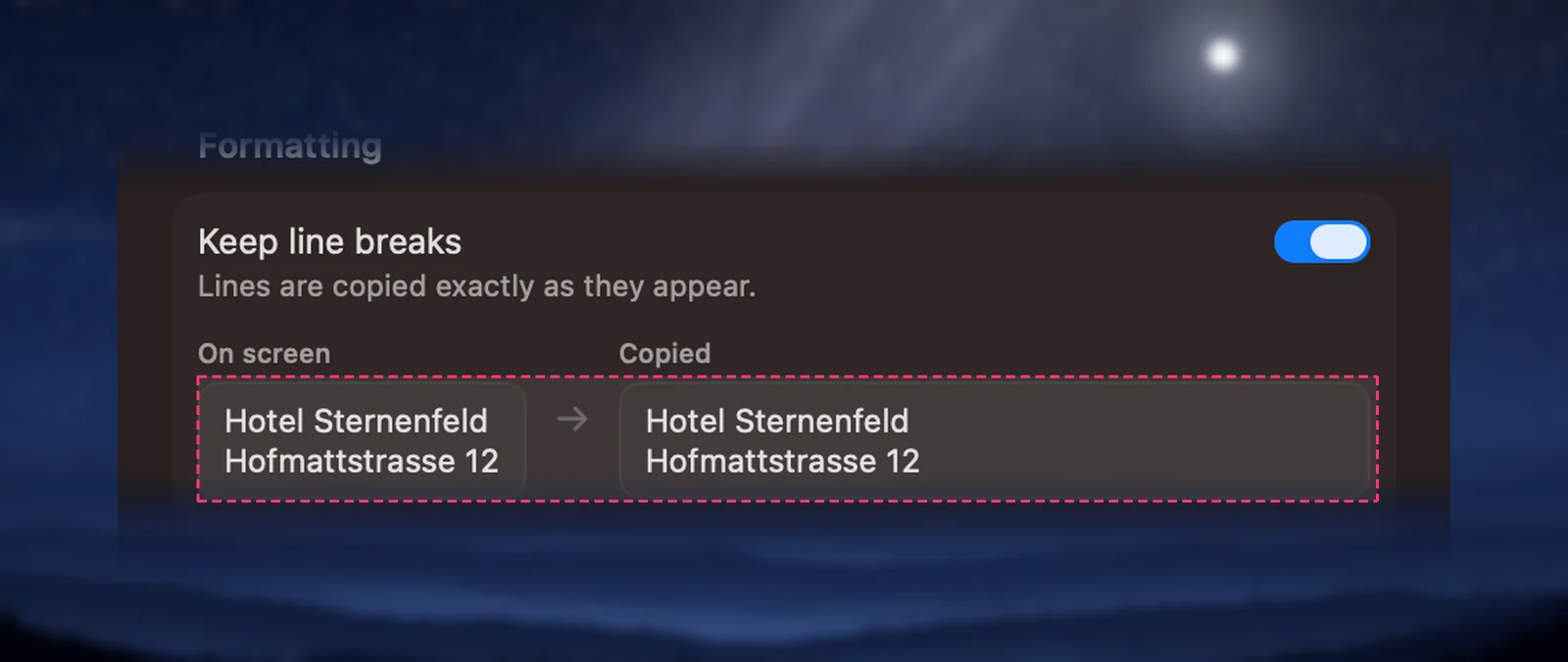
With Keep line breaks on
This is the default. Every line on screen becomes one line on your clipboard, and a blank line separates paragraphs. Words that sit on the same line but in separate pieces, such as a label and its value, are joined with a space.
Leave it on when the line breaks carry meaning:
- addresses, receipts, menus and forms
- code, Terminal output and log lines
- poems, verses and subtitles you want to keep line by line
With Keep line breaks off
The lines of each paragraph are joined into one line, with a space where each break was. Paragraphs stay separate, with a blank line between them. Turn it off when you capture prose that you’ll paste into an email, a document, a chat or a translator.
Joining is careful about a few things:
- Lists stay lists. A line that starts with a bullet (•, - or *) or a marker such as
1.,12)ora)keeps its own line. - Chinese, Japanese and Thai lines are joined without a space, because those scripts don’t put spaces between words. Korean does use spaces, so its lines are joined with one, like English.
- Paragraph breaks are kept. Only the wrapping inside a paragraph goes.
Here is the same paragraph captured both ways:
Keep line breaks on:
The committee will publish its find-
ings in the spring, after a review
of every submission.

Keep line breaks off:
The committee will publish its findings in the spring, after a review of every submission.
Hyphens at line ends
Justified text often splits a long word across two lines with a hyphen. With Keep line breaks off, Unpixel joins the two halves and checks the result against the Mac’s spelling dictionary:
- “exam-” + “ple” becomes example, because that’s a word.
- “well-” + “known” stays well-known, because “wellknown” isn’t.
- “Jean-” + “Luc” and “2020-” + “2021” keep their hyphen.
The dictionary used is your recognition language, or the language the capture appears to be in when Detect language automatically is on. If the Mac has no spelling dictionary for that language, the hyphen is always removed.
Columns
Text set in two or more columns side by side, like a magazine page or a two-column paper, is read one column at a time, top to bottom, with either setting. You don’t get a line from the left column followed by a line from the right.
Tables are different: their columns hold separate values, not running text. See Tables: detection and paste formats.
Translation joins lines anyway
When you translate a capture (hold ⌥ as you let go), Unpixel joins the wrapped lines of each paragraph before translating, even with Keep line breaks on, so the translator sees whole sentences. Lists, and lines that don’t read as running text, such as an address or a receipt, keep their breaks. More in Translate text while you capture.
Frequently asked questions
Does changing the setting fix captures that are already in my history?
No. A capture keeps the text it was copied with. Change the setting, then capture the text again.
Why did a word keep its hyphen when the lines were joined?
Unpixel only removes the hyphen when the joined word is in the Mac’s spelling dictionary for that language. Names, product codes and words like “well-known” keep their hyphen on purpose.