Links shown in videos, slides and screenshots are the worst kind of text to retype: get one character wrong and the page doesn’t load. Unpixel can detect links in screenshots and on screen, and treats a captured web address as an address. It pastes as a link, it’s easy to find again, and it’s one click away from your browser.
Drag a tight box around a web address you can see but can’t click, such as one on a slide, in a paused video or on a shared screen. Unpixel recognizes it on your Mac and copies a working link, with https:// added if it was missing. Every address you grab waits under Links in the menu bar panel, so you can open them all after the talk.
Where links get stuck
Most of the addresses you can’t click are in places no browser reaches:
- Slides in a talk or webinar. The speaker’s “find the code at…” page is on screen for ten seconds.
- Tutorial and course videos. A repository, a download page or a docs link appears in the corner of a paused frame.
- Shared screens in calls. Someone shows a dashboard URL or a staging address and moves on.
- Screenshots and images. A link in a screenshot pasted into a ticket, a chat or a design file.
- Your own dev setup. A local address such as
localhost:3000/apiprinted in a simulator or a log window you can only see.
In each case the address is just pixels. Retyping a long path by hand is slow, and the mistakes are invisible until the page fails to load.
One address in, one link out
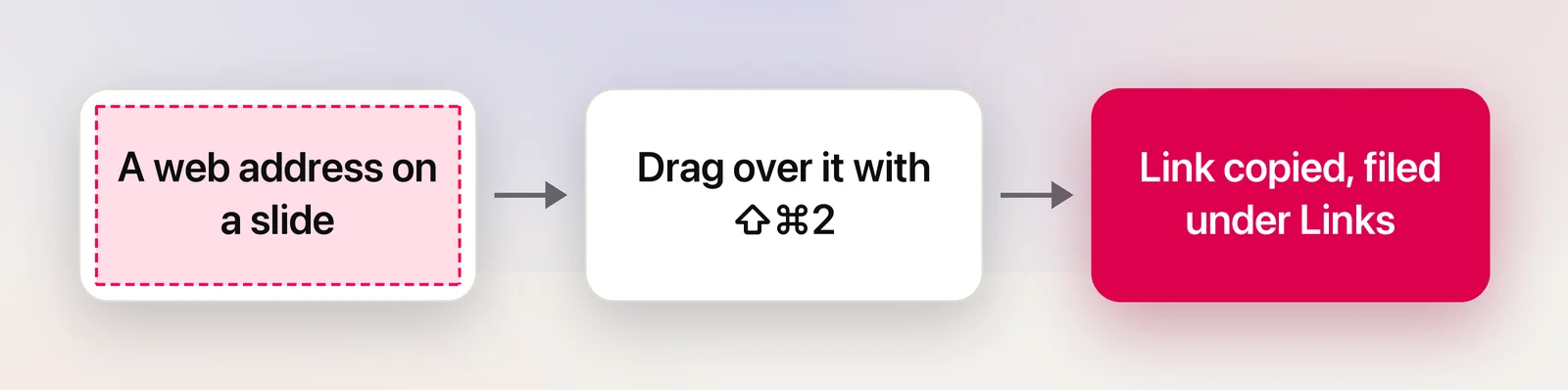
Draw a tight box around the address and nothing else. When the whole capture is one web address, Unpixel treats it as a link: the confirmation says Link copied and shows it, and the clipboard holds two versions at once. Plain-text fields get the address exactly as it appeared; apps that understand links get a complete one with https:// added where it was missing. A long address that wrapped onto a second line is joined back together, and brackets or a full stop around it are dropped.
Anything more than a lone address, such as a sentence with a link inside it or two addresses at once, is copied as ordinary text, so you never lose the words around it. The help article on captured web addresses lists exactly what counts and what doesn’t.
Collect now, open later
The real time-saver is during something you can’t pause. Every link capture is filed under Links in the menu bar panel’s history, newest first, with the source app and time, like “Keynote · 4 min ago”. So the rhythm during a talk is simple:
- Capture each address as it appears and keep listening.
- At the end, open the panel and click the Links filter.
- Open the ones you still want, and ignore the rest.
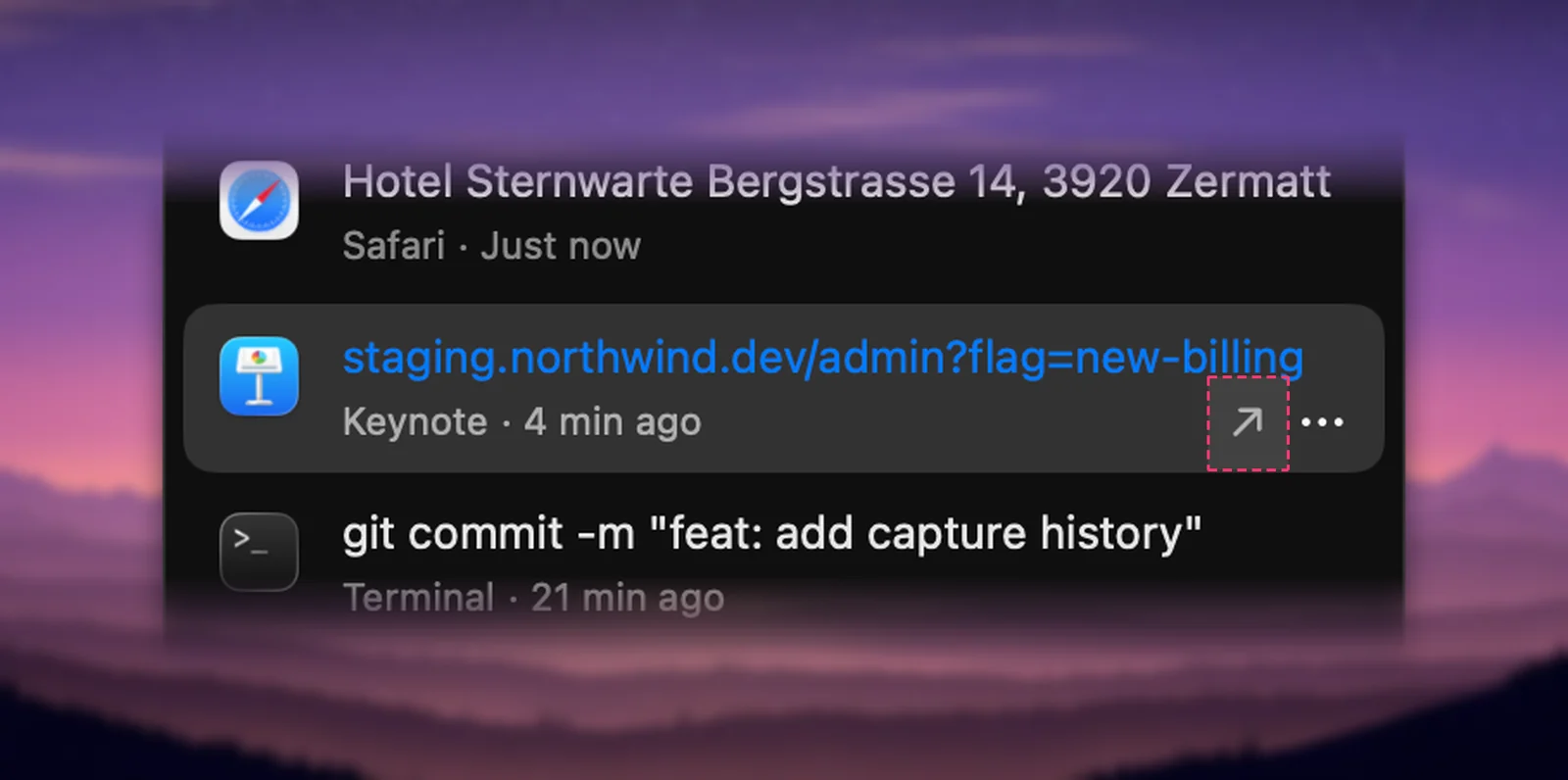
Typing part of a domain in the search field finds an older one. An address read from a QR code is filed under QR Codes instead, but shows up the same way with its own Open Link; QR codes and barcodes on your screen covers those.
Nothing opens by itself
Unpixel never opens a link it read from text. The address sits in your history until you choose to open it, which matters because text recognition can confuse look-alike shapes: rn and m, l and 1, O and 0. In a domain, one swapped letter can mean a different site. The FTC’s advice on phishing points the same way: reach a company through a website or phone number you know is real, not through a link someone handed you.
So before you open a link captured from a video or a blurry shared screen, read the domain letter by letter. For banking, shopping or sign-in pages, type the address you already know instead. Check a link in a screenshot before you open it goes further.
What Live Text already does
If the link is in a photo or image file, macOS can help without any extra app. Apple’s guide to Live Text in Preview says that when a photo shows a website, you can click the small down arrow next to it and open the link in your browser. That covers image files in Preview. It doesn’t reach a link on a shared screen or in a game, and it doesn’t keep a list of the addresses you collected. Copy a URL, email or phone number shown in an image walks through the free options.
Frequently asked questions
Does Unpixel open links on its own?
Not links read from text. They wait in your history until you click Open Link. The only automatic opening is the optional setting for QR codes.
Why was my capture filed as text, not a link?
The selection held more than the address: a sentence around it, a second address, or a label. Drag a tighter box around the address alone and capture it again.
Are email addresses and phone numbers detected too?
No. Only web addresses become links. Email addresses, phone numbers and file paths are copied as plain text.