
A QR code on a web page, in a PDF ticket or on a slide in a call is oddly hard to use on a Mac. The code is right in front of you, but the thing that normally reads it is your phone. Unpixel reads codes the way it reads text. Drag a box around one, and what the code holds is on your clipboard.
Your phone is the usual QR reader, but the code is often on your Mac: in a PDF ticket, on a slide or in a web page. Unpixel reads it where it is. Drag a box around the code and its contents, such as a web address, a Wi-Fi login or a product number, are on your clipboard. It reads QR, Data Matrix, PDF417, Aztec, EAN, UPC and more.
Codes that end up on your Mac screen
Codes are made for phone cameras, but plenty of them reach you on a computer:
- A Wi-Fi code on a slide, a welcome PDF or a photo of the sign in a shared office.
- An event or travel ticket sent as a PDF, often an Aztec or PDF417 code.
- A link on a webinar slide or a poster in a video, where the address itself isn’t printed.
- Product and shipping codes on an online shop page, an invoice or a photographed label, when you need the number in a spreadsheet.
- A setup code for an app or a device that a colleague shows on a shared screen.
Holding your phone up to the display works for one code, but the result is on the phone. When you need the contents on your Mac, or there are several codes, reading them where they are is quicker.
One drag, decoded
There’s no separate scanner mode. When Detect QR codes & barcodes is on, which it is unless you change it, a code inside your selection makes the capture a code. You get its contents rather than the words printed near it, and the confirmation says QR code copied or Barcode copied. Several codes in one box are copied one per line, and a code beats a table or plain text in the same selection.
It works the same for a code in an image or PDF you open with Open Image…, or in a picture you copied and read with From Clipboard. Decoding happens on your Mac with Apple’s Vision framework, like the rest of Unpixel. QR codes, barcodes and opening QR links has the steps, what common payloads look like and what to do when a code isn’t found.
Supported symbologies
Unpixel reads the code types Vision supports:
- 2D codes: QR and Micro QR, Aztec, PDF417 and Data Matrix.
- Retail barcodes: EAN-8, EAN-13 and UPC-E.
- Logistics and industry: Code 39, Code 93, Code 128, ITF and Codabar.
- GS1 DataBar, used on fresh food and coupons.
You get the contents exactly as encoded. Unpixel doesn’t join a Wi-Fi network or add a contact for you; it copies the data so you decide what to do with it.
Links wait for you
A QR code hides where it leads until it’s decoded. The US Federal Trade Commission warns that scammers stick their own codes over real ones on parking meters and send codes in emails and texts with an urgent excuse to scan them. Its advice: when a code turns up somewhere unexpected, inspect the address before you open it.
Reading the code on your screen gives you that chance, because by default nothing opens: you see the address in the confirmation and in your history first. If most of your codes come from sources you trust, you can turn on Open QR links automatically in Settings → Recognition. It stays narrow even then: only a capture holding exactly one http or https link opens, and app links such as otpauth:// are always just copied. Our advice is to leave it off unless the codes come from you or people you know. QR code scams: how to check a code covers the common tricks.
Codes in history
Every code you capture lands under QR Codes in the menu bar panel’s history, barcodes included, with a count beside the filter. Each row shows the code type and the source app.
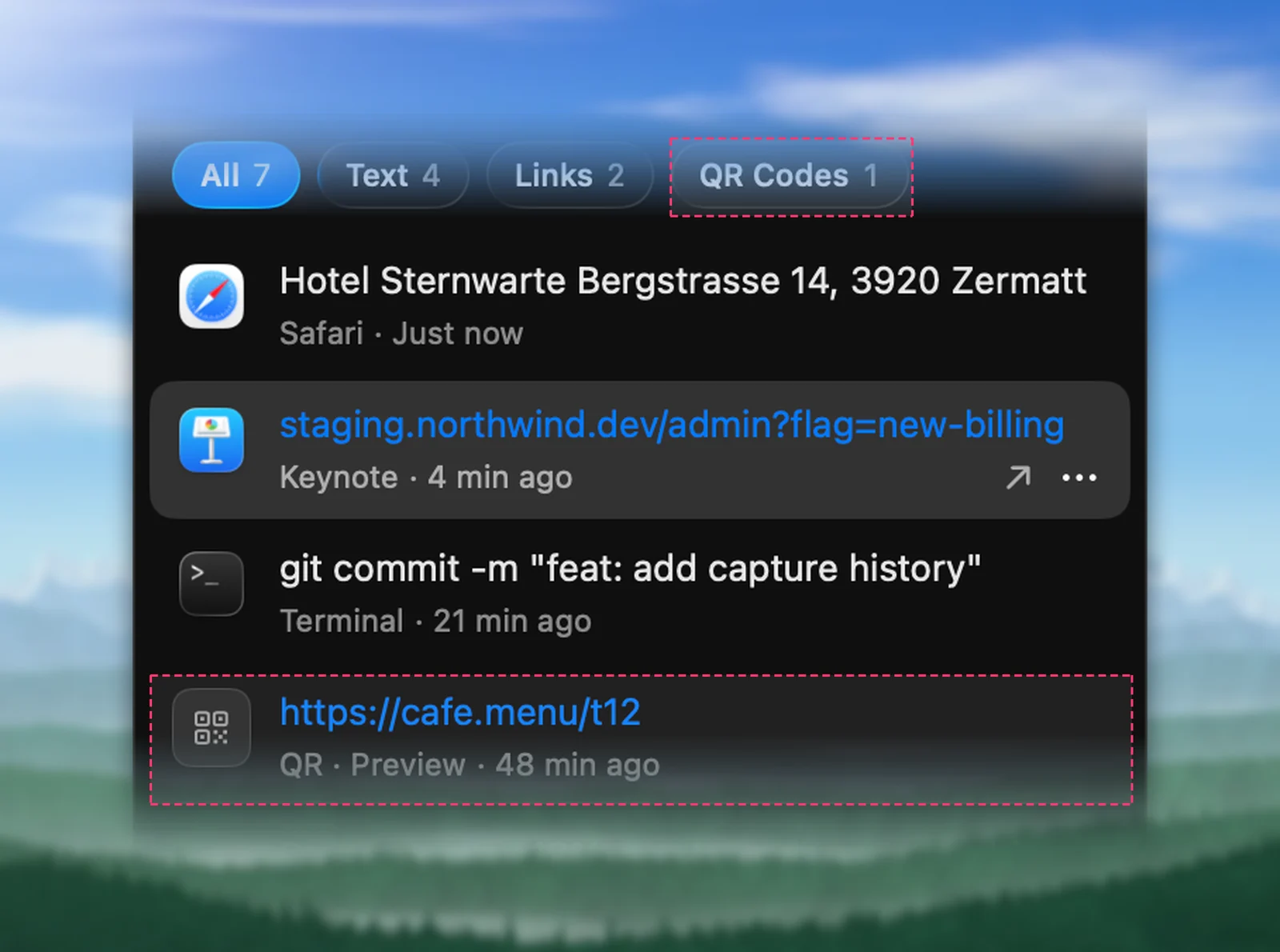
Search for a type, such as EAN-13, to list just those codes, or click a row to copy the contents again. A row that holds a link offers Open Link for when you’re ready.
The free alternative
For a single code, your iPhone may be all you need. Apple’s support article describes opening the Camera app, or the Code Scanner in Control Center, holding the device so the code appears, and tapping the link. A code on your Mac’s display works too. The catch is that the result ends up on your phone, which is slow when you need the contents on your Mac or have a page full of codes. Read a QR code from a screenshot or screen on Mac covers the other free routes.
Frequently asked questions
Can I scan a code with my Mac’s camera?
No. Unpixel reads codes that are on your screen or in image and PDF files. For a code printed on paper, use your iPhone’s camera, or take a photo and open it on your Mac.
Does a code ever open by itself?
Only if you turn on Open QR links automatically, and only when the capture holds exactly one web (http or https) link. Everything else is copied and waits for you.
What happens if the selection holds a code and some text?
The code wins: you get its contents, not the words around it. Turn off Detect QR codes & barcodes in Settings → Recognition if you want the printed text instead.
Sources
- VNDetectBarcodesRequest — Apple Developer Documentation developer.apple.com
- Scan a QR code with your iPhone or iPad — Apple Support support.apple.com
- Scammers hide harmful links in QR codes to steal your information — Federal Trade Commission consumer.ftc.gov