
Unpixel runs only on Macs with Apple silicon that have macOS 26 Tahoe or later, and there’s no trial version, so check before you buy. Two details in About This Mac tell you what you need: the chip and the macOS version.
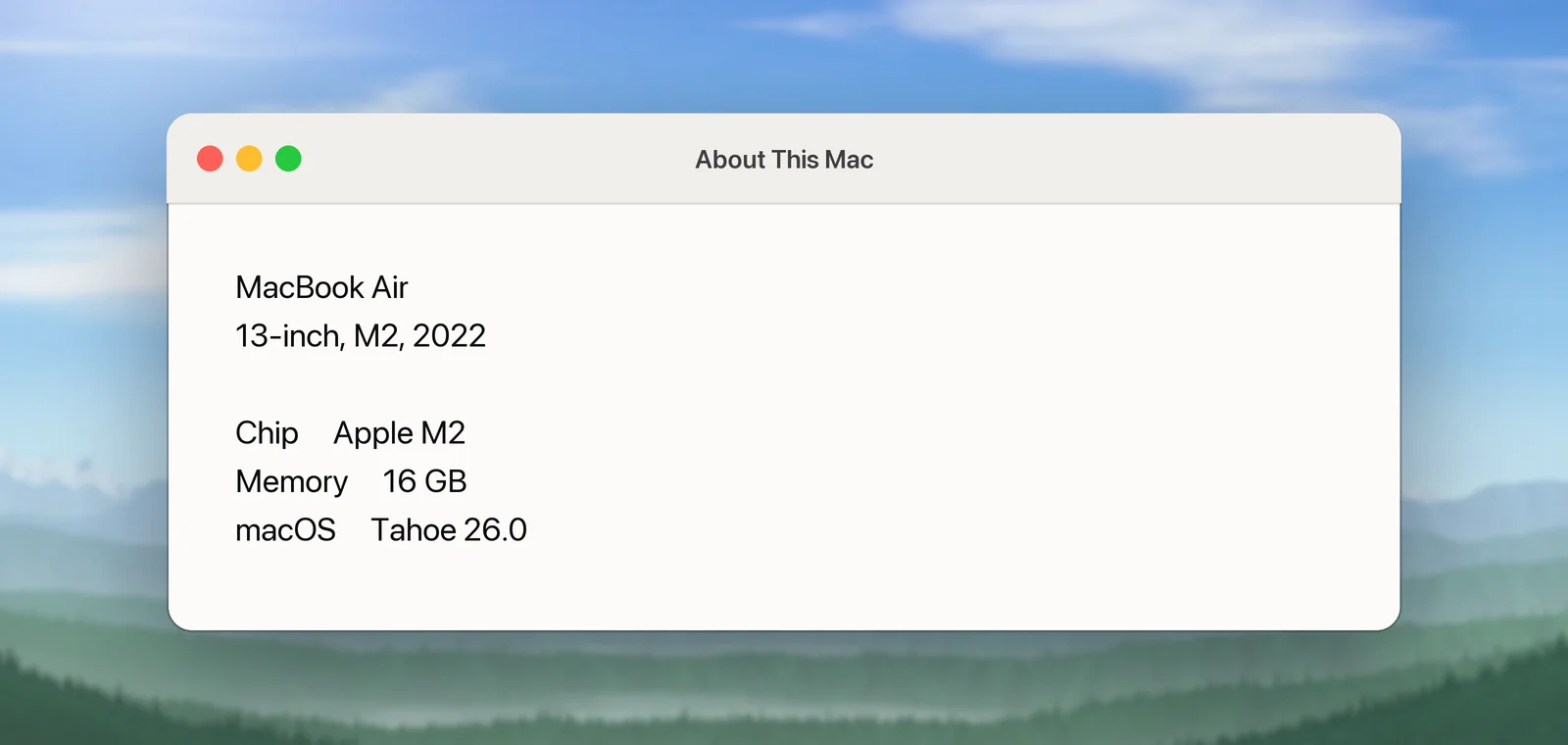
Unpixel needs a Mac with Apple silicon running macOS 26 Tahoe or later. It doesn’t run on Intel Macs, not even the few that can install macOS 26, and it doesn’t open on earlier macOS versions. To check, choose Apple menu → About This Mac and look for Chip followed by an Apple chip name, and for the macOS version.
Requirements
| What | Requirement |
|---|---|
| Mac | Apple silicon |
| macOS | macOS 26 Tahoe or later |
| Permission | Screen & System Audio Recording, asked for during setup |
| Internet | To activate the license, then a license check at least once every 30 days; the update check is optional |
| Displays | Built-in and external, any number |
| Account | None |
Check your macOS version
- Choose Apple menu → About This Mac.
- Read the line with the macOS name and version, such as macOS Tahoe 26.0.
If the version starts with 15 or a lower number, open System Settings → General → Software Update to see whether your Mac can move to macOS Tahoe. Apple keeps a list of the Macs that can; it’s linked under Sources below.
Check your chip
In the same About This Mac window, look at the second block of details:
- Chip, followed by a name such as Apple M2, means the Mac has Apple silicon.
- Processor, followed by an Intel processor name, means it’s an Intel Mac.
The first Macs with Apple silicon came out in late 2020, so a Mac bought before then has an Intel processor.
Why Intel Macs and older macOS aren’t supported
Unpixel is built for macOS 26. Its interface uses the Liquid Glass design that arrived with macOS 26, and table detection relies on a document-recognition feature that Apple’s Vision framework added in the same release. There’s no separate version of Unpixel for earlier macOS releases.
The app is compiled for Apple silicon only. Apple’s compatibility list shows that four Intel models can install macOS Tahoe: MacBook Pro (16-inch, 2019), MacBook Pro (13-inch, 2020, Four Thunderbolt 3 ports), iMac (Retina 5K, 27-inch, 2020) and Mac Pro (2019). Unpixel doesn’t run on those Macs either. On an unsupported Mac, macOS won’t open the app and shows a message instead.
Displays, languages and connectivity
- Displays: the crosshair appears on every connected display. A selection stays on the display where you started dragging, and each display is read at its full resolution.
- Recognition languages: about 30 in Accurate mode, from English and Spanish to Japanese, Korean, Arabic and Thai. See Recognition languages and automatic detection.
- Translation: uses the languages Apple’s Translation framework offers on your Mac. macOS asks before it downloads a language the first time you need it.
- Interface language: the app’s menus and settings are in English.
- Offline use: captures, history and translation between downloaded languages work without a connection. Only the license check needs the internet, at least once every 30 days.
Frequently asked questions
Does Unpixel need an internet connection?
Only to activate your license and for a license check at least once every 30 days, plus the optional daily update check. Text recognition runs on your Mac, so captures work offline.
I bought Unpixel and my Mac turns out to be unsupported. What now?
Every purchase has a 14-day money-back guarantee. Write to support from the email you used to buy, and mention your Mac model and macOS version.
Sources
- Mac computers with Apple silicon — Apple Support support.apple.com
- Find out which macOS your Mac is using — Apple Support support.apple.com
- macOS Tahoe 26 is compatible with these computers — Apple Support support.apple.com
- Update macOS on Mac — Apple Support support.apple.com