Shottr is a screenshot app for the Mac with a text recognition tool built in. Unpixel, the app we make, is only a text tool. If you already have Shottr, the question is whether its OCR does enough of what you need; if you have neither, it’s which job comes first, pictures or text. Details about Shottr come from its own website as of October 2026.
If you already use Shottr for screenshots, its OCR hotkey covers plain text and QR codes, and you can use it without paying. Unpixel is a paid, text-only app that adds tables as spreadsheet cells, translation while capturing, a searchable history and multi-page PDFs. Shottr also runs on much older macOS versions; Unpixel needs macOS 26 on Apple silicon.
What Shottr is for
Shottr’s main job is screenshots. Its website lists scrolling capture for long web pages and chats, pinned screenshots that float above other windows, an on-screen ruler for measuring, and a color picker, along with its OCR. It’s free to use, and it runs on macOS Catalina and later.
Unpixel doesn’t take screenshots, edit them or save them. It turns the area you select into text, a table, a link or a decoded code, copies it, and keeps a record. If you need pictures of your screen, Shottr does that and Unpixel doesn’t; the comparison below is only about getting text.
Shottr’s OCR hotkey vs Unpixel
The flow is nearly identical. In Shottr, you press a hotkey, select an area, and it parses the text and copies it to the clipboard; its site notes that the same OCR also reads QR codes. In Unpixel, you press ⇧⌘2, drag, and let go. A live size label follows the selection, holding Space moves it, and a small confirmation shows what was copied.
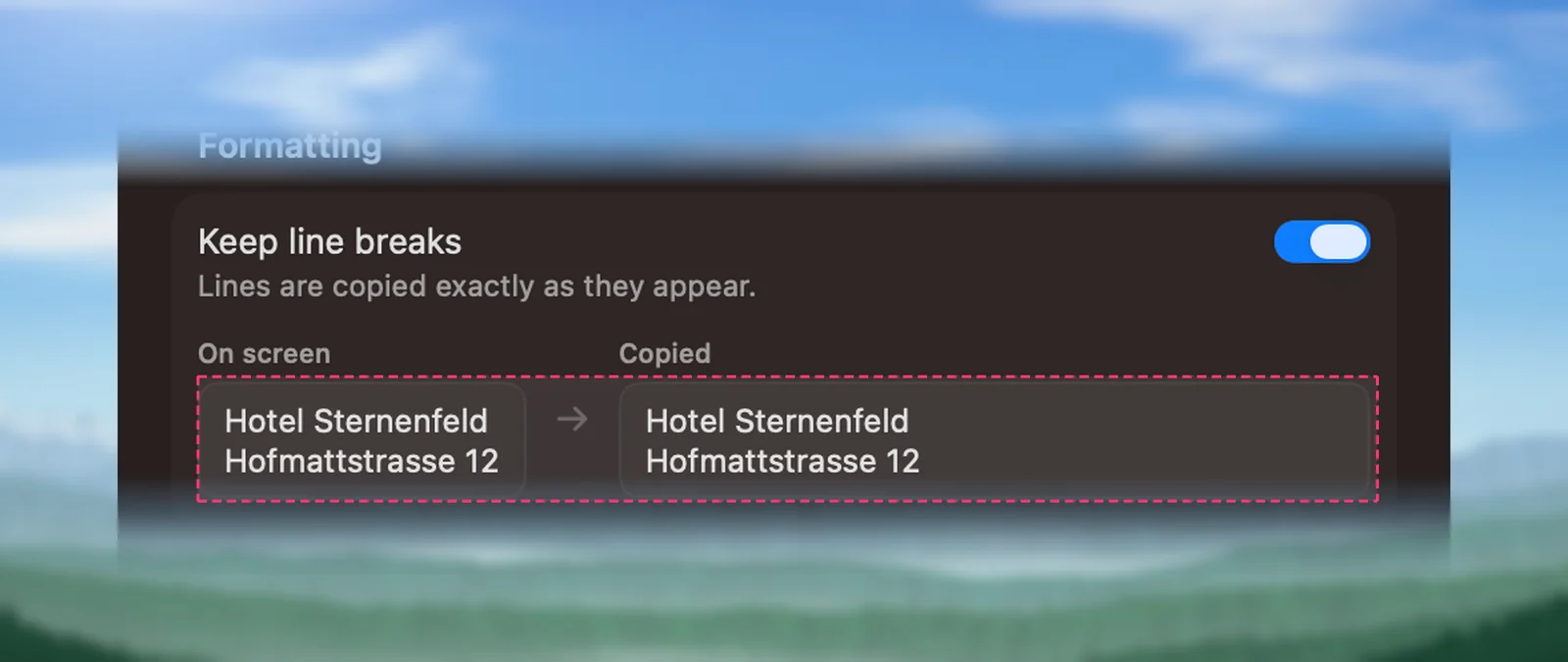
Both handle line breaks. Shottr offers a button and a default setting to remove them. Unpixel’s Keep line breaks setting does the same when it’s off, and goes a little further. It rejoins words split by a hyphen at the end of a line, keeps list items on their own lines, and joins Chinese, Japanese and Thai text without adding spaces.
Languages differ in how you set them. Shottr’s site says that for Chinese you choose it as the primary language on the Advanced tab of its preferences. Unpixel reads about 30 languages with Apple’s Vision framework, detects the language for you or uses one you pick, and lets you switch language correction off for codes and part numbers.
Tables, translation and history
| Shottr | Unpixel | |
|---|---|---|
| Copy text from a selected area | Yes | Yes |
| QR codes | Yes | Yes, plus barcodes such as EAN, UPC and Code 128 |
| Tables as spreadsheet cells | Not listed | Yes |
| Translation while capturing | Not listed | Hold ⌥ as you let go |
| History of recognized text | Not listed | Searchable, with Text, Links and QR Codes filters |
| Read images and PDFs from files | Not listed for OCR | Yes, PDFs up to 50 pages per capture |
| Screenshots, scrolling capture, pin, ruler | Yes | No |
| Requirements | macOS Catalina or later | macOS 26, Apple silicon |
“Not listed” means Shottr’s website didn’t describe the feature in October 2026.
The rows that matter most depend on your work. If you paste into spreadsheets, Unpixel’s table capture puts real rows and columns on the clipboard instead of loose lines; how tables work explains when a capture counts as one. If you read other languages, holding ⌥ copies a translation made on your Mac. And if you often need something you copied last week, the history finds it.
Price
As of October 2026, Shottr can be used free indefinitely, with an occasional reminder to buy, and its purchase page lets you name your own price. Its site says the activated version gives a better overall experience, and that activating a license needs an internet connection.
Unpixel has no free version. It’s a one-time purchase: $5.99 for one Mac, $9.99 for two or $13.99 for three, with a 14-day money-back guarantee. It also needs macOS 26 on an Apple silicon Mac, so on an older system Shottr is the one you can actually use.
Verdict
- You take lots of screenshots and copy text now and then: Shottr covers both, and you can start without paying.
- You need scrolling capture, pinned images or a ruler: Shottr. Unpixel has none of these.
- You copy text often, especially tables or other languages: Unpixel, on its own or alongside Shottr with a separate shortcut.
- Your Mac can’t run macOS 26: Shottr.
Because Shottr costs nothing to try, the sensible order is simple: use its OCR on your real work for a week. If you keep wishing a table pasted as cells, or that you could find last Tuesday’s capture, that’s the case for adding Unpixel.
Frequently asked questions
Is Shottr really free?
As of October 2026, Shottr’s website says it can be used free for as long as you want, with an occasional prompt to buy. Its purchase page asks you to name your price, including $0.
Does Shottr’s OCR keep line breaks?
Shottr’s site describes a button and a default setting to remove line breaks from recognized text. Unpixel has a Keep line breaks setting that joins the lines of a paragraph when it’s off.
What if I need long screenshots of web pages or chats?
Use Shottr’s scrolling capture. Unpixel doesn’t take screenshots at all; it reads text from the area you select.
Can I use both apps?
Yes. Give each its own shortcut. Unpixel uses ⇧⌘2 by default, which you can change in Settings → General.