Text Lens and Unpixel are two small Mac apps that answer the same need: text you can see but can’t select. Both use the text recognition built into macOS, both run offline, and the current version of each needs macOS 26. The differences are in what you do with the text afterwards and how strict each app is about the network. We make Unpixel. Details about Text Lens come from its developer’s website and its Mac App Store listing as of October 2026.
Text Lens, by Sindre Sorhus, suits you if you want an editing window that collects several captures, text from an iPhone photo, or an app that can’t go online at all. Unpixel suits you if you want translation while capturing, a searchable history, multi-page PDFs and tables that paste as cells. The current versions of both need macOS 26 and cost about $6, as of October 2026.
At a glance
| Text Lens | Unpixel | |
|---|---|---|
| Start a capture | Click the menu bar icon, or a global shortcut | ⇧⌘2, or the menu bar panel |
| QR codes and barcodes | Yes | Yes |
| Tables | Tab-separated values | Spreadsheet cells, Markdown or plain text |
| Edit window that collects captures | Yes | No |
| Add captures to the clipboard as you go | Not listed | Yes, hold ⇧ as you let go |
| Searchable history | Not listed | Yes |
| Translation while capturing | Not listed | Yes |
| Images on the clipboard or in files | Yes | Yes, plus PDFs up to 50 pages |
| Photo from an iPhone or iPad | Yes | No |
| Network access | None | License checks, optional update check |
| Price, one-time | $6, Mac App Store | From $5.99, sold directly |
| Requirements | macOS 26 or later; an older version for macOS 15 on its website | macOS 26 or later, Apple silicon |
“Not listed” means the feature isn’t described on the Text Lens website or App Store listing in October 2026.
Capturing and editing text
Text Lens starts a capture when you click its menu bar icon, right-click it, or press your shortcut; Esc backs out. Unpixel starts with ⇧⌘2 or from its panel, shows a live size label while you drag, and lets you hold Space to move the selection before you let go.
The bigger difference is what happens next. Set Text Lens’s After Capture option to Show in Window, and the result appears in a floating window where you read and edit it. Captures you make while the window is open are added to the same text, and ⇧⌘C copies the lot. That’s a neat way to assemble a quote from three slides. Closing the window throws the text away.
Unpixel copies straight to the clipboard and saves each capture to a history on your Mac. You can search it, filter it by Text, Links or QR Codes, and click any row to copy it again, days later. To stitch snippets together, hold ⇧ as you let go: each capture is added after the last one on the clipboard, separated by a new line, a blank line or a space, and one paste brings them all. There’s no window to edit them in first, so any tidying happens in your document.
Both handle tables. Text Lens copies them as tab-separated values, which most spreadsheets split into columns when you paste. Unpixel adds an HTML table to the clipboard as well, so Numbers, Excel, Google Sheets and Notes paste cells directly, and you can switch to Markdown or plain text for code editors.
Languages
Both apps rely on the recognition languages macOS provides, around 30 on macOS 26. Text Lens says it can recognize several languages in one capture, and treats its language setting as a hint to improve recognition. Unpixel either detects the language for you or uses one you pick, with optional language correction that you can switch off for codes and part numbers.
Where they part is translation. Hold ⌥ as you let go in Unpixel, and the clipboard gets the text in your language, translated on your Mac by Apple’s Translation framework. Text Lens doesn’t describe a translation feature, so you’d paste into a translator yourself. The translation guide explains Unpixel’s settings.
Privacy and network access
Both keep recognition on your Mac. The Text Lens App Store listing says it collects no data, and Unpixel has no account and no analytics. But Text Lens goes a step further. Its developer says the app has no network entitlement, so macOS itself stops it from connecting to the internet.
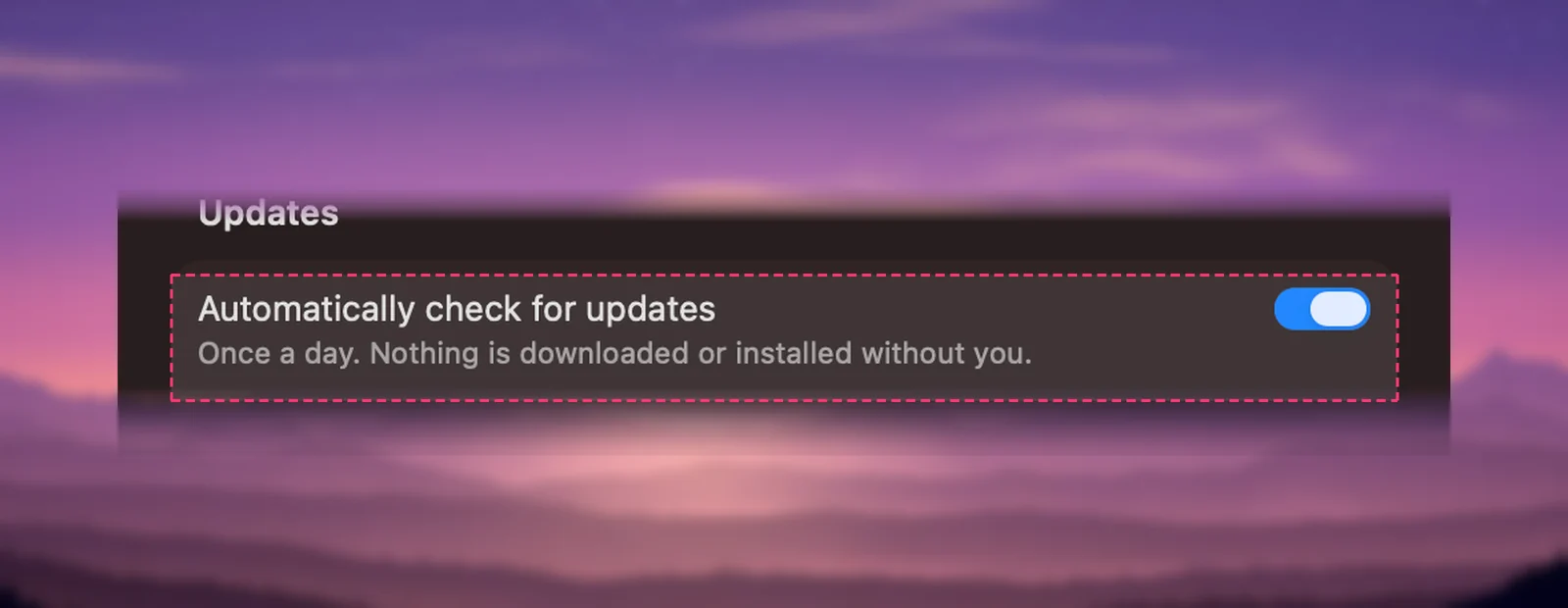
Unpixel does connect, for two narrow reasons. It activates and validates your license with its payment provider, which receives your license key and your Mac’s name and model. And it can check for updates, which you can turn off in Settings → General. Your captures are never sent. If a hard guarantee of zero network access matters to you, for example on a locked-down work Mac, Text Lens offers it and Unpixel doesn’t.
Price
As of October 2026, Text Lens costs $6 once on the Mac App Store. Unpixel costs $5.99 once for one Mac, $9.99 for two or $13.99 for three, sold on our website with a 14-day money-back guarantee and no trial. Buying through the App Store has its own conveniences, such as purchases tied to your Apple Account.
Verdict
Choose Text Lens if you want an app that can’t go online, an editing window that gathers several captures, or text from a photo taken on your iPhone or iPad.
Choose Unpixel if you translate what you capture, want to find past captures again, read multi-page PDFs, or paste tables straight into a spreadsheet.
At these prices, the deciding factor is your workflow rather than cost. Try the captures you make most often in whichever app you lean towards.
Frequently asked questions
Is Text Lens free?
No. As of October 2026, Text Lens is a one-time $6 purchase on the Mac App Store, with no in-app purchases listed.
Does Unpixel connect to the internet?
Only to activate and validate your license with its payment provider, which sends the license key and your Mac’s name and model, and for an optional update check. Captures never leave your Mac, and recognition works offline.
Do both apps keep tables?
Yes, in slightly different ways. Text Lens copies tables as tab-separated values. Unpixel puts an HTML table and tab-separated values on the clipboard together, and can copy a table again as Markdown or CSV from its history.
Can I combine several captures into one block of text?
Both can, in different ways. With Text Lens’s window open, each new capture is appended to text you can edit. In Unpixel, hold ⇧ as you let go and the capture is added after what’s already on the clipboard; there’s no editing window, so you tidy up after pasting.