Put Letra’s website next to ours and the resemblance is obvious. Both are menu bar apps for macOS. Both start a capture with ⇧⌘2, read the text on your Mac with Apple’s Vision framework, and put it on the clipboard when you let go. They even charge the same. We make Unpixel, so take that into account; everything about Letra here comes from its own website as of October 2026.
With that much in common, the choice comes down to three things: which macOS you run, whether you need tables or translation, and the terms around the purchase.
Letra and Unpixel share the same core: a menu bar app, ⇧⌘2, drag, and the text is on your clipboard, read on your Mac. As of October 2026 they cost the same. Letra runs on older macOS versions; Unpixel needs macOS 26 on Apple silicon but adds tables that paste as cells, translation while capturing and more image formats.
At a glance
| Letra | Unpixel | |
|---|---|---|
| Start a capture | ⇧⌘2 by default, changeable | ⇧⌘2 by default, changeable or cleared |
| Recognition | On your Mac, Apple Vision | On your Mac, Apple Vision |
| Accurate or Fast mode | Yes | Yes |
| QR codes and barcodes | Yes, can open QR links automatically | Yes, can open a QR link automatically |
| Searchable local history | Yes, links filed separately | Yes, with Text, Links and QR Codes filters |
| Files | Clipboard images; PNG, JPEG and PDF | Clipboard images; PNG, JPEG, HEIC, TIFF, GIF, BMP, WebP and PDF |
| Tables as spreadsheet cells | Not listed | Yes |
| Translation while capturing | Not listed | Yes |
| Read the same area again | Not listed | Yes, ⇧⌘1 (Capture Again) |
| Add a capture to the clipboard | Not listed | Yes, hold ⇧ as you let go |
| URL scheme | letra://capture, clipboard, settings, onboarding |
The same four, plus open, history, capture?translate=1 and capture?append=1 |
| Text back in a shortcut | Not listed; its site describes Open URL | Yes, with x-callback-url links |
| Price, one-time | $5.99 / $9.99 / $13.99 for 1 / 2 / 3 Macs | $5.99 / $9.99 / $13.99 for 1 / 2 / 3 Macs |
| Money-back guarantee | 7 days | 14 days |
| Requirements | macOS Sonoma 14 or later | macOS 26 or later, Apple silicon |
“Not listed” means Letra’s website doesn’t mention the feature as of October 2026. Check the site before you buy; small apps change quickly.
Capturing text
For everyday captures, you’d struggle to tell the two apart. You press the shortcut, the pointer becomes a crosshair, you drag over a paused video, a screen share or a scanned page, and the text is ready to paste. Both read neat handwriting reasonably and struggle with messy writing, both work offline, and both keep a searchable history on your Mac that you can clear.
Both can be driven by other tools through a URL scheme, so a Raycast command, an Alfred workflow or an Open URLs action in Shortcuts can start a capture. Unpixel’s scheme can also open its history or a file picker, and unpixel://capture?translate=1 starts a capture that translates. Its unpixel://x-callback-url/ links go a step further in Shortcuts: an Open X-Callback URL action waits for the capture and gets the text back, so the next action can use it. Unpixel also adds Copy Text with Unpixel to Finder’s Services menu for images and PDFs. See automation with Shortcuts, Raycast and Alfred.
The look differs too: Unpixel uses the Liquid Glass design of macOS 26.
Extra features
Two features account for most of the difference, and two smaller ones follow.
Tables. When most of what you select in Unpixel is a grid, it copies rows and columns. The table pastes into Numbers, Excel, Google Sheets or Notes as separate cells, and the history can copy it again as Markdown or CSV. Letra’s site doesn’t mention tables, so expect a table to arrive as lines of text you split yourself. See how Unpixel copies tables.
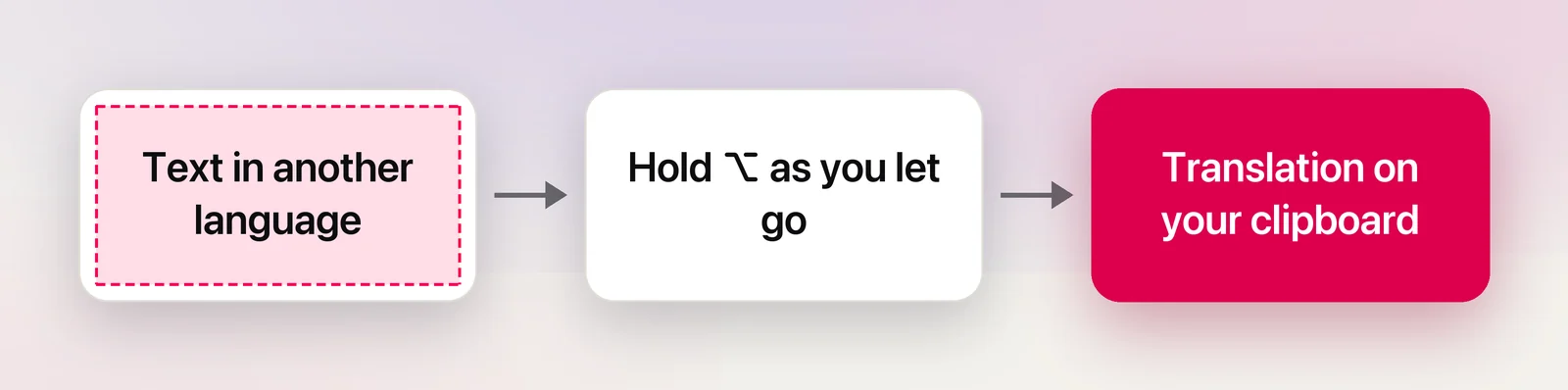
Translation. Hold ⌥ as you let go, or choose Copy & Translate Text, and Unpixel copies the text translated into your language with Apple’s on-device Translation framework. Numbers and prices stay as they are, and a table is translated cell by cell. Letra’s site doesn’t mention translation; you’d paste its text into a translator yourself.
Capture Again and adding. ⇧⌘1 reads the area of your last selection again without a new drag, for captions or slides that change in one place. Holding ⇧ as you let go adds the text to what’s already on the clipboard, so several passages paste at once. Letra’s site mentions neither. See Capture Again and Append mode.
Unpixel also opens more image formats, including HEIC, the format most iPhone photos use, and WebP, common on the web, and reads up to 50 pages of a PDF per capture.
Price and requirements
As of October 2026, Letra costs $5.99 for one Mac, $9.99 for two and $13.99 for three, as a one-time purchase with no trial and a 7-day money-back guarantee. Its site says the price includes lifetime updates. It needs macOS Sonoma 14 or later, and its site says it isn’t notarized by Apple yet, so macOS asks you to confirm the first launch.
Unpixel’s prices are the same three tiers, with a 14-day money-back guarantee and no trial. Its update terms are in the FAQ on our home page. The real constraint is the system: Unpixel needs macOS 26 or later on an Apple silicon Mac.
Verdict
- Your Mac runs macOS 14 or 15: Letra. Unpixel won’t install on those versions.
- You only need plain text, QR codes and a history: either one. Pick by the purchase terms that matter more to you, such as the update promise or the longer refund window.
- You paste tables into spreadsheets or work across languages: Unpixel, which does both as part of the capture.
Whichever you choose, try it on the things you copy most within the refund window, and turn the other app’s shortcut off if you end up with both.
Frequently asked questions
Can I run Letra and Unpixel at the same time?
Yes, but both default to ⇧⌘2, and only one app can own a shortcut. Change or clear one of them; in Unpixel that’s in Settings → General.
Why does macOS warn me when I open Letra?
As of October 2026, Letra’s website says the app isn’t notarized by Apple yet, so macOS shows a warning the first time. Its site explains how to open it from System Settings → Privacy & Security with Open Anyway.
Does either app have a free trial?
No. As of October 2026, Letra offers a 7-day money-back guarantee. Unpixel has a 14-day money-back guarantee.
Do they read the same languages?
Both use Apple’s Vision framework, so recognition languages depend on macOS, around 30 on recent versions. Unpixel can also translate a capture into your language with Apple’s on-device Translation framework.