Some PDFs let you read every word but refuse to let you copy a single one. That isn’t a glitch: whoever made the file chose to restrict it. Before looking for a way around it, it helps to know which kind of lock you’re facing and which routes are actually fair game.
A protected PDF either needs a password to open, or opens freely but carries permissions that block copying. Check which in Preview with Tools → Show Inspector and the Encryption button. The fair routes are the owner’s password, an unrestricted copy from the sender, or the original source. Reading visible text with OCR can suit short personal quotes, but copyright still applies.
Three kinds of “protected” PDF
“Protected” covers very different things, and each one has a different answer.
| Kind of protection | What it does | How you get the text |
|---|---|---|
| Password to open | You can’t see the pages at all without it | Only with the password |
| Permissions (owner) password | The file opens, but copying, printing or editing can be blocked | The owner password, or an unrestricted copy |
| DRM from a store or library | The file only opens in one app or account | Inside that app, under its rules |
Preview can set both kinds of password itself. Apple’s guide describes an open password that everyone must enter, and a separate owner password that controls features such as printing, copying text and adding annotations.
A PDF that won’t let you select anything isn’t necessarily locked, though. Very often it’s simply a scan, with no text inside to copy. Our guide to PDFs that won’t copy helps you tell the difference.
Check the security settings in Preview
- Open the PDF in Preview.
- Choose Tools → Show Inspector.
- Click the Encryption button to see whether the document is secured.
- If you were given a password, enter it there to unlock what it allows.
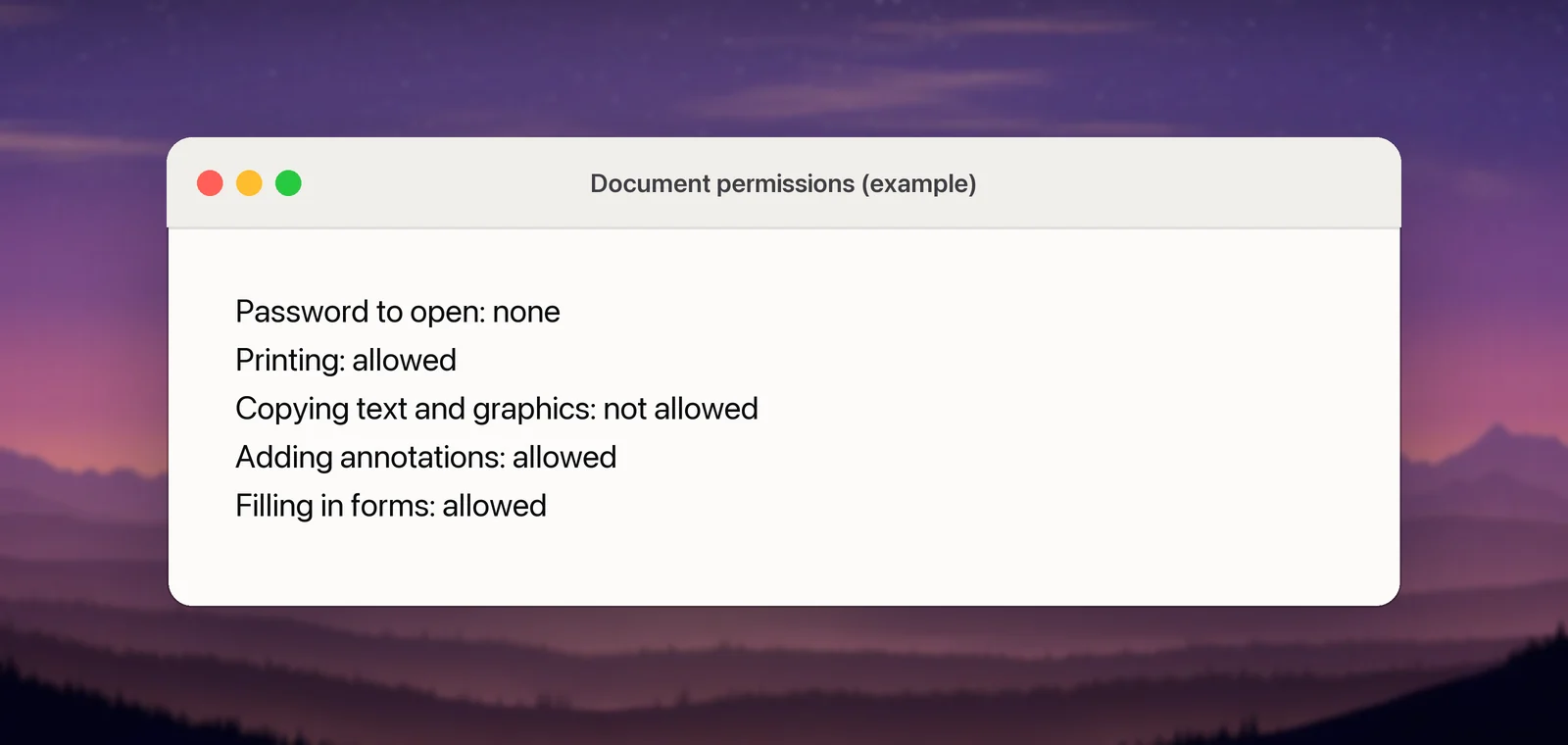
Preview respects these settings. If copying isn’t allowed, Text Selection and ⌘C won’t work until the right password is entered.
If the PDF is yours and you set the restriction yourself, choose File → Edit Permissions, select the actions you want to allow without the owner password and click Apply. Apple notes that the changes take effect the next time the PDF is opened.
Fair ways to get the text
Start with the routes that leave nobody worse off.
- Ask the sender. Request the password or an unrestricted copy. A restriction sometimes comes from an export preset rather than a deliberate choice, so it’s worth asking.
- Find the source. Many PDFs are exports of something else: a web page, a Word document, a journal article’s HTML version or a government data portal. The original is usually easier to copy from anyway.
- Use the access you have. Libraries, universities and publisher accounts often include download rights that a shared copy doesn’t.
- Type a short quote. For a sentence or two, typing it out with a citation is often quicker than any workaround.
Reading visible text with OCR, and when that’s fine
Copy permissions control what a PDF reader lets you select. They don’t stop you from reading the page, and text recognition reads whatever is on your display. That includes Live Text on a screenshot as well as dedicated apps.
That makes OCR reasonable for things like:
- noting a passage from a report you’re reviewing, with its source;
- pulling a reference number out of your own statement, when the bank’s PDF won’t let you copy it;
- turning a page into text that a screen reader or a larger font can handle.
In Unpixel
Unpixel works the same way as a screenshot. Press ⇧⌘2 and drag over a passage that is visible on your screen, and the text is copied on your Mac. Unpixel can’t open a PDF that needs a password, and it doesn’t remove or change any of a file’s permissions.
A copy restriction is still a signal. It usually means the author doesn’t want the text redistributed, so reuse what you capture with that in mind.
What we won’t help with, and why
This guide doesn’t cover password crackers, DRM removal or “unlock PDF” upload sites. Breaking an open password or DRM isn’t reading a page; it’s defeating a lock on a work you weren’t given access to. In the United States, section 1201 of the copyright law prohibits getting around technical measures that control access to copyrighted works, and many other countries have similar rules.
Upload sites add a privacy problem too. To unlock a file, they need the whole document on their servers. For a contract, a medical record or a payslip, that is a poor trade for a few lines of text.
Copyright basics for quoting
This isn’t legal advice, and the rules differ by country. A few principles hold widely:
- Short, attributed quotes for criticism, commentary, teaching or research are treated far more kindly than copying whole sections. In the US this falls under fair use, which the Copyright Office says is decided case by case.
- The amount matters. A paragraph in your notes is different from a chapter on your website.
- Commercial reuse needs more care. If the text will end up in something you sell, ask for permission.
For the bigger picture, including images and video, see whether it’s legal to copy text from images.
Frequently asked questions
Is it illegal to copy text from a secured PDF?
It depends on what you do with the text and where you live. Quoting a few lines for study or commentary is treated very differently from republishing the document. When in doubt, ask the rights holder.
Can Unpixel remove a PDF password?
No. Unpixel can’t open a file that needs a password and doesn’t change a PDF’s permissions. It only reads text that is already visible on your screen.
Why can I print the PDF but not copy from it?
Whoever secured the file allowed printing and blocked copying. Each permission is set separately, so any combination is possible.
Sources
- Password-protect a PDF in Preview on Mac — Apple Support support.apple.com
- If you can’t select or copy text in a PDF in Preview on Mac — Apple Support support.apple.com
- Fair Use Index — U.S. Copyright Office copyright.gov
- Section 1201 Study — U.S. Copyright Office copyright.gov