You copy a paragraph from a web page, paste it into an email, and it arrives in the page’s font, at the page’s size, sometimes with a grey background and a stray link. You only wanted the words. Every Mac app can give you just the words, but the shortcut isn’t the same in all of them.
Press ⌥⇧⌘V (Option-Shift-Command-V) to paste text in the style of whatever surrounds it. Apple calls this Paste and Match Style, and it works in Mail, Notes, Pages, TextEdit, Safari and Chrome. Google Docs uses ⇧⌘V instead, and so does Word for Mac, where it’s called Paste Text Only. In any other app, check the Edit menu.
The universal shortcut: Option-Shift-Command-V
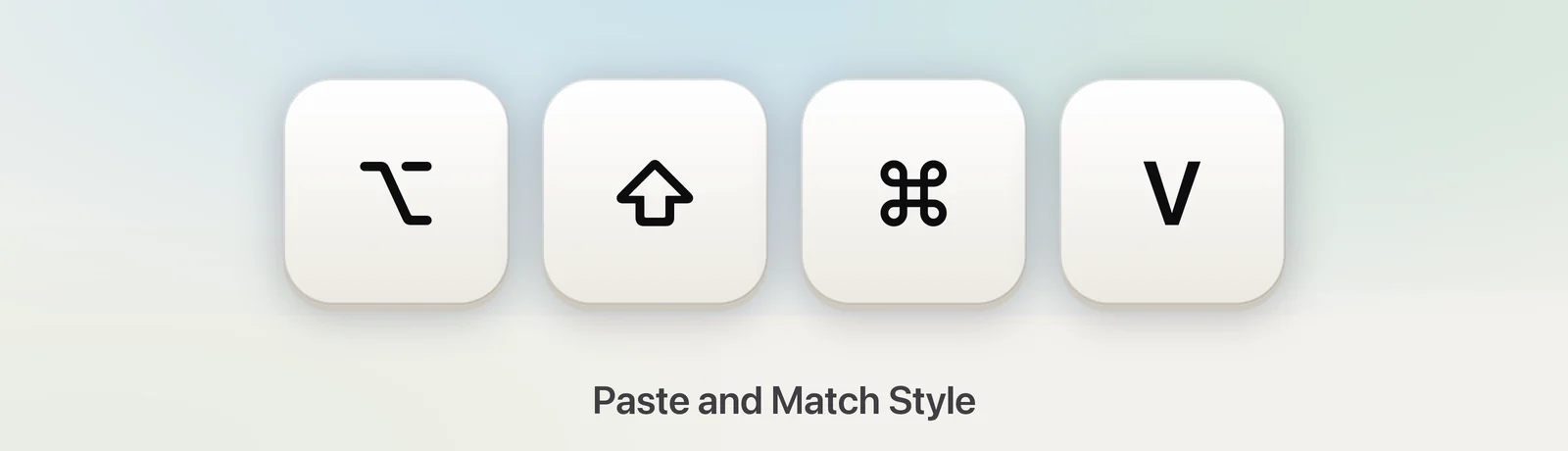
Apple’s name for a clean paste is Paste and Match Style, and its shortcut is ⌥⇧⌘V. Apple describes it as applying the style of the surrounding content to what you paste. In practice, the words and paragraph breaks come through, while the font, size, colour and background take on the look of the text around your cursor.
You’ll find it in the Edit menu of Mail, Notes, Pages, Keynote, Numbers and TextEdit, and in Safari and Chrome, where it works in most text boxes on web pages. If you forget the four-key shortcut, the menu is always there: Edit → Paste and Match Style.
Not every app uses that name or that shortcut. Here’s where the others put it:
| App | Plain paste | Where to find it |
|---|---|---|
| Mail, Notes, Pages, TextEdit | ⌥⇧⌘V | Edit → Paste and Match Style |
| Safari and Chrome (web forms) | ⌥⇧⌘V | Edit → Paste and Match Style |
| Google Docs | ⇧⌘V | Edit → Paste without formatting |
| Word for Mac | ⇧⌘V | Paste text only |
| Gmail (after pasting) | ⌘\ | Remove formatting |
| Slack, Notion and similar apps | Varies | Look in the app’s Edit menu |
Google Docs, Gmail and Chrome
Google Docs has its own command, Paste without formatting, on ⇧⌘V. If you’ve already pasted something messy, select it and press ⌘\ to clear its formatting instead.
Gmail doesn’t list a plain-paste shortcut of its own. Two things work: paste with ⌥⇧⌘V from your browser’s Edit menu, or paste normally, select the text and press ⌘\ (Remove formatting). To send a message with no formatting at all, click More options (the three dots) at the bottom of the compose window and choose Plain text mode.
In Chrome and Safari, ⌥⇧⌘V pastes plain text into most comment boxes, forms and web editors. A web app can handle pasting its own way, which is why Google Docs has a separate shortcut.
Microsoft Word for Mac
In Word for Mac, Microsoft lists ⇧⌘V as Paste text only. For more control, press ⌃⌘V to open Paste Special and choose Unformatted Text.
If you’ve already pasted, look for the small Paste Options button that Word shows next to the pasted text. Click it and choose Keep Text Only to strip the formatting after the fact. The same choices are in the Paste menu on the Home tab. Keep Text Only also drops bold, italics and links, so check names and quotes afterwards.
Slack, Notion and other web-based apps
Many desktop apps are built on web technology, and each one decides how pasting works. The reliable way to find out is to open the app’s Edit menu while text is on the clipboard. Look for Paste and Match Style or Paste as Plain Text: the shortcut shown beside it is the one that app uses.
If there’s no such item, try ⇧⌘V, then ⌥⇧⌘V. If neither strips the formatting, use the TextEdit method further down; it works with every app.
Make it the default with a custom shortcut
If you almost never want formatting, you can give ⌘V to Paste and Match Style:
- Open System Settings → Keyboard and click Keyboard Shortcuts….
- Select App Shortcuts in the sidebar and click +.
- Leave Application set to All Applications, or pick one app, such as Mail, to start small.
- In Menu title, type
Paste and Match Styleexactly as it appears in the Edit menu. - Click Keyboard shortcut, press ⌘V, then click Done.
From now on, ⌘V matches style in every app whose Edit menu has that exact command. Apps that call it something else keep their normal paste. When you do want the original formatting, choose Edit → Paste from the menu. To undo the change, select the shortcut in the list and click −.
Strip formatting with TextEdit
When an app has no plain paste at all, use TextEdit as a filter:
- Open TextEdit and create a new document.
- Choose Format → Make Plain Text (⇧⌘T).
- Paste, select everything with ⌘A, and copy it again.
- Paste into the app you were working in.
To skip step 2 every time, open TextEdit → Settings, click New Document and set Format to Plain text. On macOS Tahoe, there’s a quicker detour: items you copy again from Spotlight’s clipboard history come back as plain text.
Text copied from images is already plain
The same problem doesn’t come up with text you capture from the screen. When Unpixel reads text from an image, a video frame or a screen share, it copies plain text: there are no fonts, colours or links to bring along, so ⌘V is all you need. Tables are the one exception, on purpose. They go onto the clipboard as cells, so they paste into Numbers or Excel as a table, and a setting lets you paste them as Markdown or plain text instead.
Quick checklist
- Most Apple apps and browsers: ⌥⇧⌘V.
- Google Docs and Word for Mac: ⇧⌘V.
- Already pasted in Docs or Gmail: select it and press ⌘\.
- Anything else: the app’s Edit menu, or TextEdit’s Make Plain Text.
- Always plain: an App Shortcut that gives ⌘V to Paste and Match Style.
Frequently asked questions
Why is Paste and Match Style greyed out?
Usually the cursor isn’t in a text field, or the clipboard holds something other than text, such as an image or a file. Click into the field and copy the text again. If the app has no such command at all, use its own plain-text paste or clean the text in TextEdit first.
What is Paste and Match Style on a Windows keyboard?
Apple says to use Alt in place of Option, and the Windows logo key or Ctrl in place of Command. On most Windows keyboards connected to a Mac, that makes it Alt-Shift-Windows-V.
Can I make ⌘V always paste plain text?
Yes. Add an App Shortcut for the menu command Paste and Match Style with ⌘V as its shortcut, in System Settings → Keyboard → Keyboard Shortcuts… → App Shortcuts. It applies in every app whose Edit menu uses that exact name.
Sources
- Mac keyboard shortcuts — Apple Support support.apple.com
- Create keyboard shortcuts for apps on Mac — Apple Support support.apple.com
- Keyboard shortcuts for Google Docs — Google Docs Editors Help support.google.com
- Keyboard shortcuts for Gmail — Gmail Help support.google.com
- Format your messages (Plain text mode) — Gmail Help support.google.com
- Keyboard shortcuts in Word — Microsoft Support support.microsoft.com