Unpixel works without a window, so it tells you what each capture did with a brief confirmation bubble, sometimes called a toast, near the top of the screen. You can also have it play a quiet sound. Both are optional.
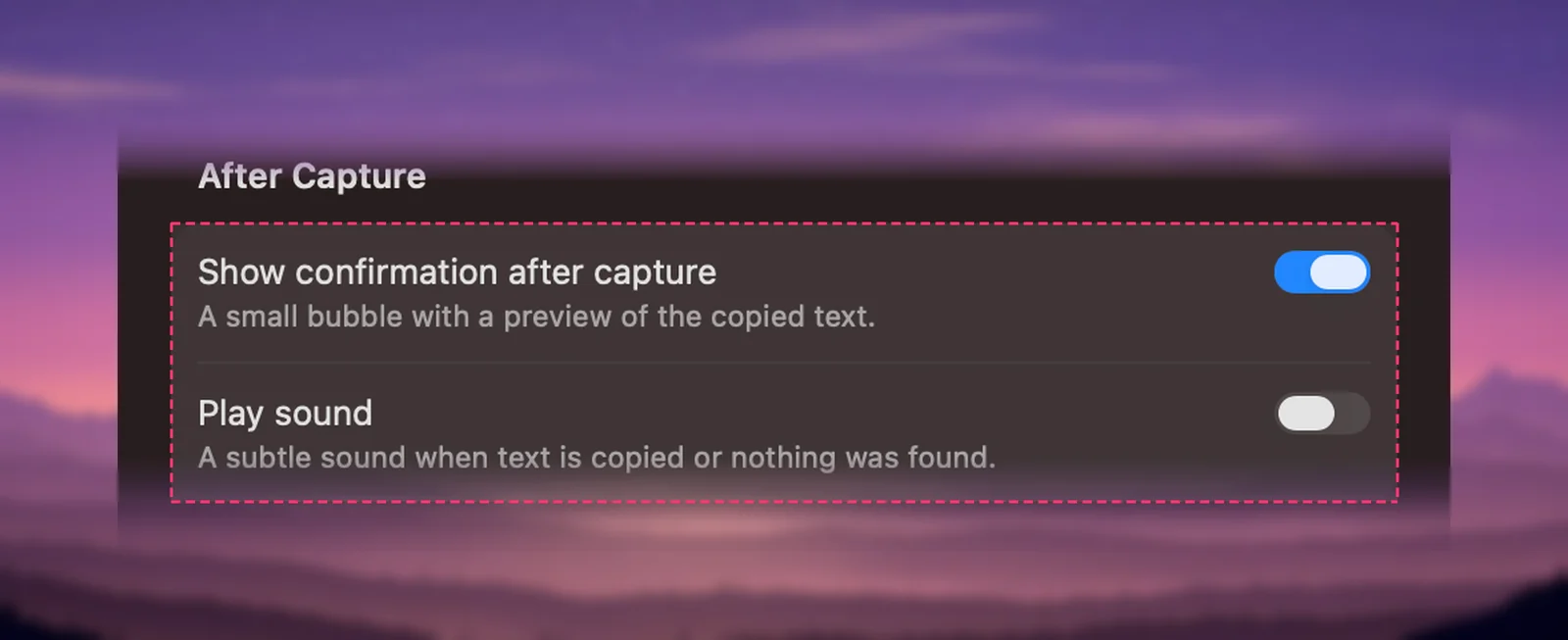
After each capture, a small bubble near the top of the screen says what happened: “Copied” with a preview, “Link copied”, “Table copied”, “No text found” and so on. Turn it off with Show confirmation after capture in Settings → General; Play sound (off by default) adds a quiet sound. Messages about problems appear even when the bubble is off.
What the confirmation shows
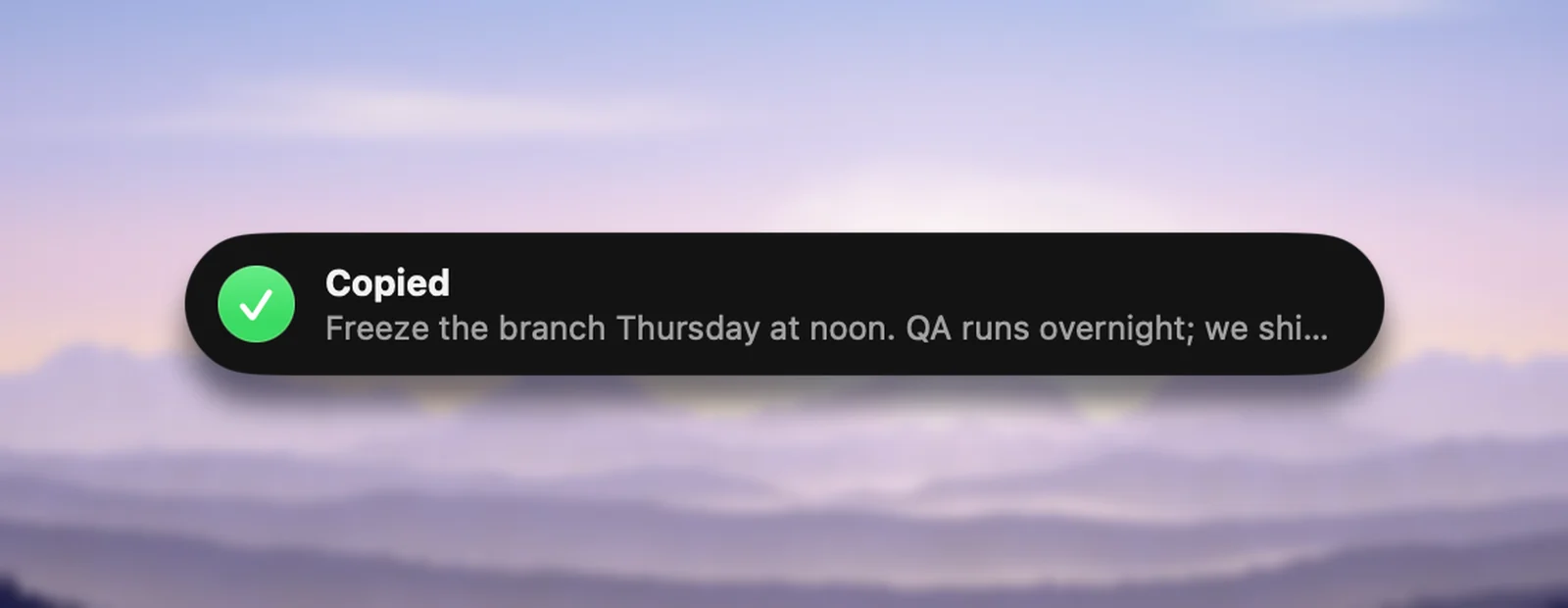
- An icon and a title that say what happened, such as a green check and Copied.
- One line of preview: the start of what’s now on your clipboard. For a table, its shape instead, such as “5 rows × 3 columns”.
- Where: centred at the top of the display you captured on, just below the menu bar.
- How long: about two seconds, a little longer for problems and long previews. A newer message replaces the one on screen.
The bubble never takes the focus away from the app you’re in and lets clicks pass through, so you can keep typing or clicking. VoiceOver announces each message.
Every message explained
| Message | What happened | Your clipboard |
|---|---|---|
| Copied | Text was recognized | The text |
| Link copied | The selection was a single web address or domain | The address, also as a link |
| QR code copied, Barcode copied | A code was in the selection | What the code contains |
| Opening QR link | The code held a web link and Open QR links automatically is on | The link, which opens in your browser |
| Table copied, Tables copied | The selection was mostly a table | Cells for spreadsheets, plus a text version |
| Translated · Japanese → English | You asked for a translation | The translation |
| Copied again | Capture Again read the area of your last selection | The text |
| Added to clipboard · 3 passages | You held ⇧ as you let go, or chose Copy & Add Text | Your earlier text, then the new passage |
| Reading 12 pages… | A long PDF from From Clipboard or Open Image… is being read | Unchanged until it’s done |
| Saved to History | This capture finished after a newer one was copied | The newer capture stays; this one is in history |
| Not copied | Same as above, but history is off | The newer capture stays |
| No text found | Nothing readable was in the selection | Unchanged |
| Screen Recording needed | Unpixel can’t read the screen yet | Unchanged |
| No previous selection, Previous selection isn’t on screen | Capture Again had no area it could read | Unchanged |
| Couldn’t add to the clipboard | Unpixel wasn’t allowed to read text another app copied | Unchanged; the capture is in history |
| Couldn’t return the result | A Shortcuts or x-callback-url request’s reply link opens in no app | The text, if the capture worked |
| Couldn’t copy text | Something went wrong; the second line says what | Unchanged |
Saved to History and Not copied only appear when captures overlap. For example, you open a long PDF and, while it’s being read, capture a line on screen. The line is copied first, and the PDF’s text goes to history so it doesn’t overwrite what you just copied.
Translation messages, such as “Already in English” or “Copied without translating”, are explained in Translate text while you capture.
Turn the confirmation off
- Right-click the Unpixel icon in the menu bar and choose Settings….
- In General, under After Capture, turn off Show confirmation after capture.
Successful captures are then silent, apart from the sound if you’ve turned it on. Progress messages such as “Reading 12 pages…” are hidden too.
Capture sound
Turn on Play sound, in the same section, for audio feedback. It’s off by default. Unpixel uses two short sounds that come with macOS: Tink when text is copied and Funk when nothing was found or a capture failed. Both play quietly and follow your Mac’s volume, so a muted Mac stays silent. Cancelling a capture never makes a sound.
The sound is handy when you capture with the confirmation off, or while you’re looking at another display.
Messages that always show
Some messages appear even with Show confirmation after capture turned off, because otherwise you might paste your old clipboard without noticing:
- No text found, Screen Recording needed and Couldn’t copy text
- No image on the clipboard and Unsupported file, from From Clipboard and Open Image…
- Not copied, when a result is neither on the clipboard nor in history
- No previous selection and Previous selection isn’t on screen, from Capture Again
- Couldn’t add to the clipboard, when adding to another app’s text isn’t allowed
- Automation problems, such as Couldn’t return the result or Couldn’t run the automation
- Translation problems, such as “Couldn’t detect the language”, when Unpixel copied the original instead
- License messages, such as “Activate Unpixel to start copying text”
When you see “No text found”
The second line suggests the usual fix: “Try selecting a larger or sharper area.” Your clipboard still holds whatever was there before, so nothing gets pasted by mistake. If the message keeps coming back, Troubleshooting Unpixel goes through the causes one by one, from tight selections to protected video.
Frequently asked questions
Can I make the confirmation stay longer?
No. It shows for about two seconds, a little longer for problems and long previews. Your capture history keeps every result if you want another look.
Does the confirmation appear in screen recordings or screen shares?
It’s an ordinary on-screen bubble, so a screen recording or a shared screen can show it like anything else. Turn it off in Settings → General before presenting if you’d rather it didn’t.